

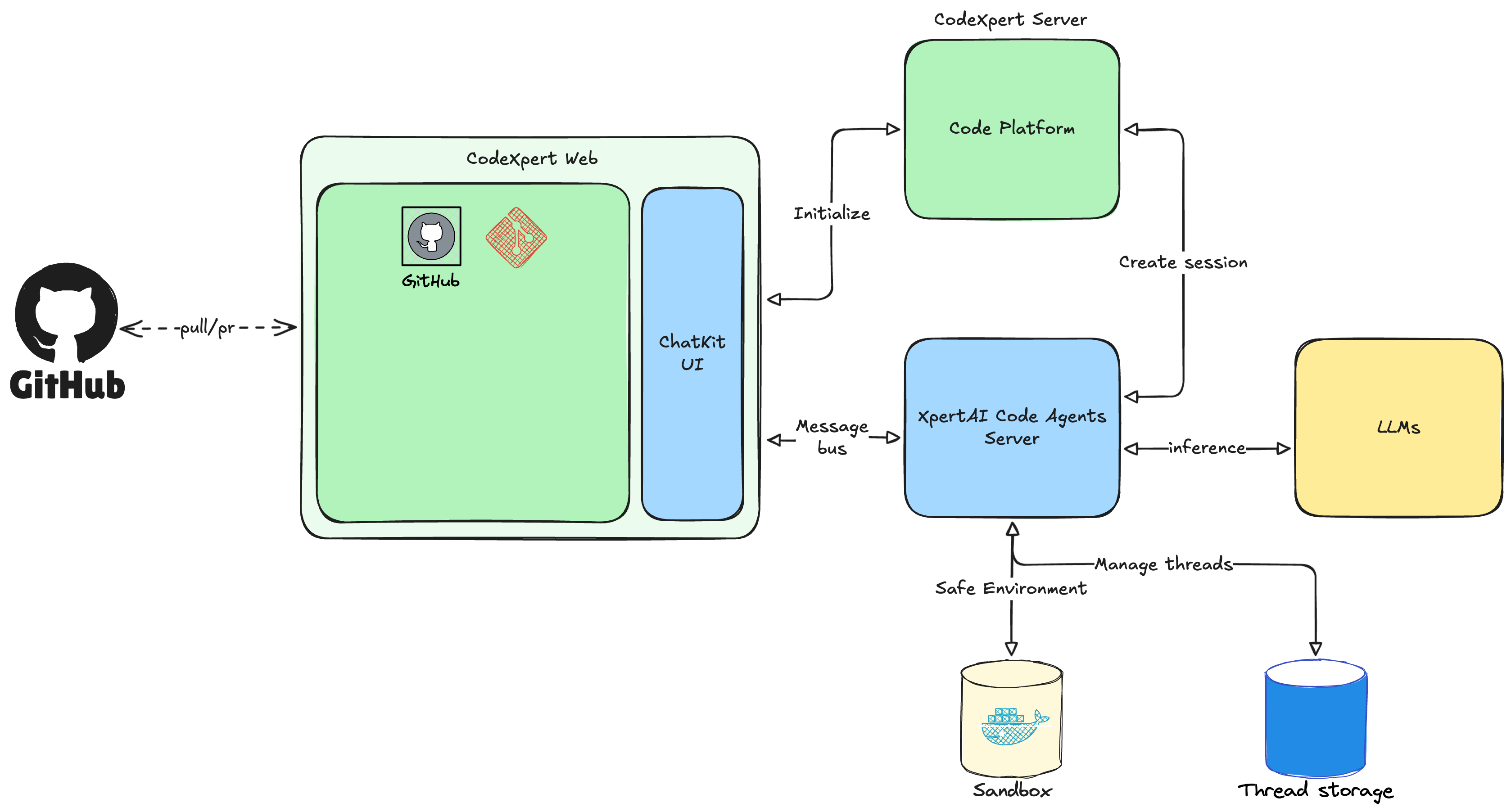
- CodeXpert Web and CodeXpert Server form the frontend and backend system, responsible for user interaction and session management.
- The core XpertAI Agent Server serves as the intelligent agent orchestration platform, scheduling coding agents, managing thread contexts, and invoking LLMs (third-party or local large models) for reasoning and code generation.
- All code execution and testing tasks run safely in isolated Sandbox environments.
- The system can connect to GitHub and other code repository platforms to enable code pulling, commits, and PR interactions, forming a complete closed-loop architecture from intelligent reasoning, code generation, safe execution, to repository collaboration.
What you can do
- Create coding tasks with instructions and attachments.
- Run tasks in a dedicated environment while watching terminal output.
- Review file diffs, line changes, and change set summaries.
- Create or open pull requests from the latest change set.
- Archive completed tasks for a clean active list.
Core concepts
Tasks
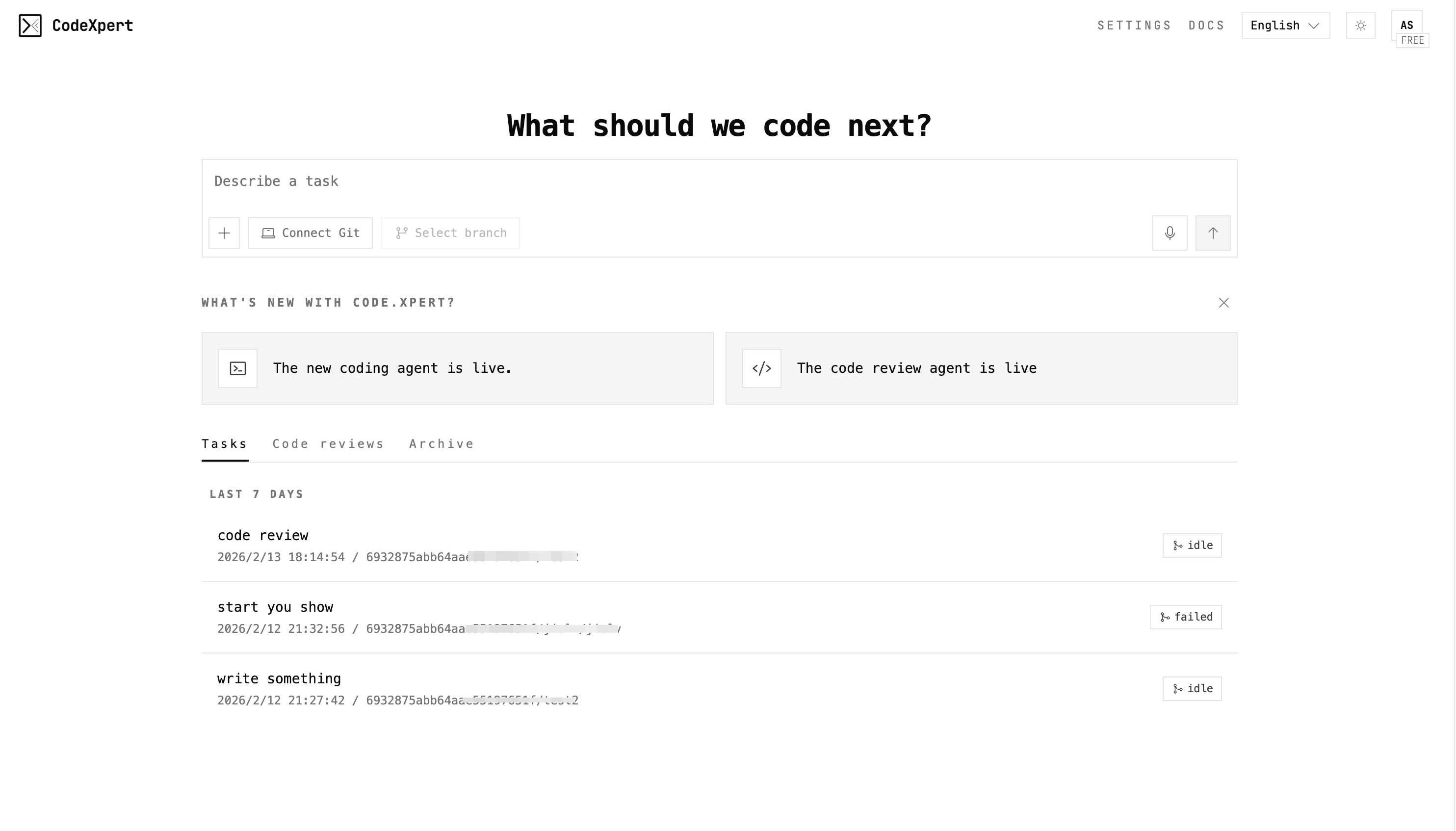
Tasks are the unit of work. Each task tracks:- Instruction and status
- Repository and branch context
- Change sets and file diffs
- Terminal output from the execution environment
Change sets
Every sync captures a change set that includes:- File change list
- Unified and split diffs
- Line additions and deletions
- Optional pull request metadata
Environments
Environments define how CodeXpert runs your work:- Repository connection and default branch
- Setup scripts and preinstalled packages
- Network access and runtime settings
Typical workflow
- Connect a repository and select a branch.
- Create a task with a clear instruction.
- Watch execution progress and terminal logs.
- Review diffs and summarize results.
- Create a pull request or continue iterating.
Key UI surfaces
Task page
The task page brings together:- Task header with repo, branch, and change stats
- Chat panel for iterative guidance
- Terminal output from sandboxed commands
- File diff viewer (split or unified)
- Pull request actions and copy helpers
Settings
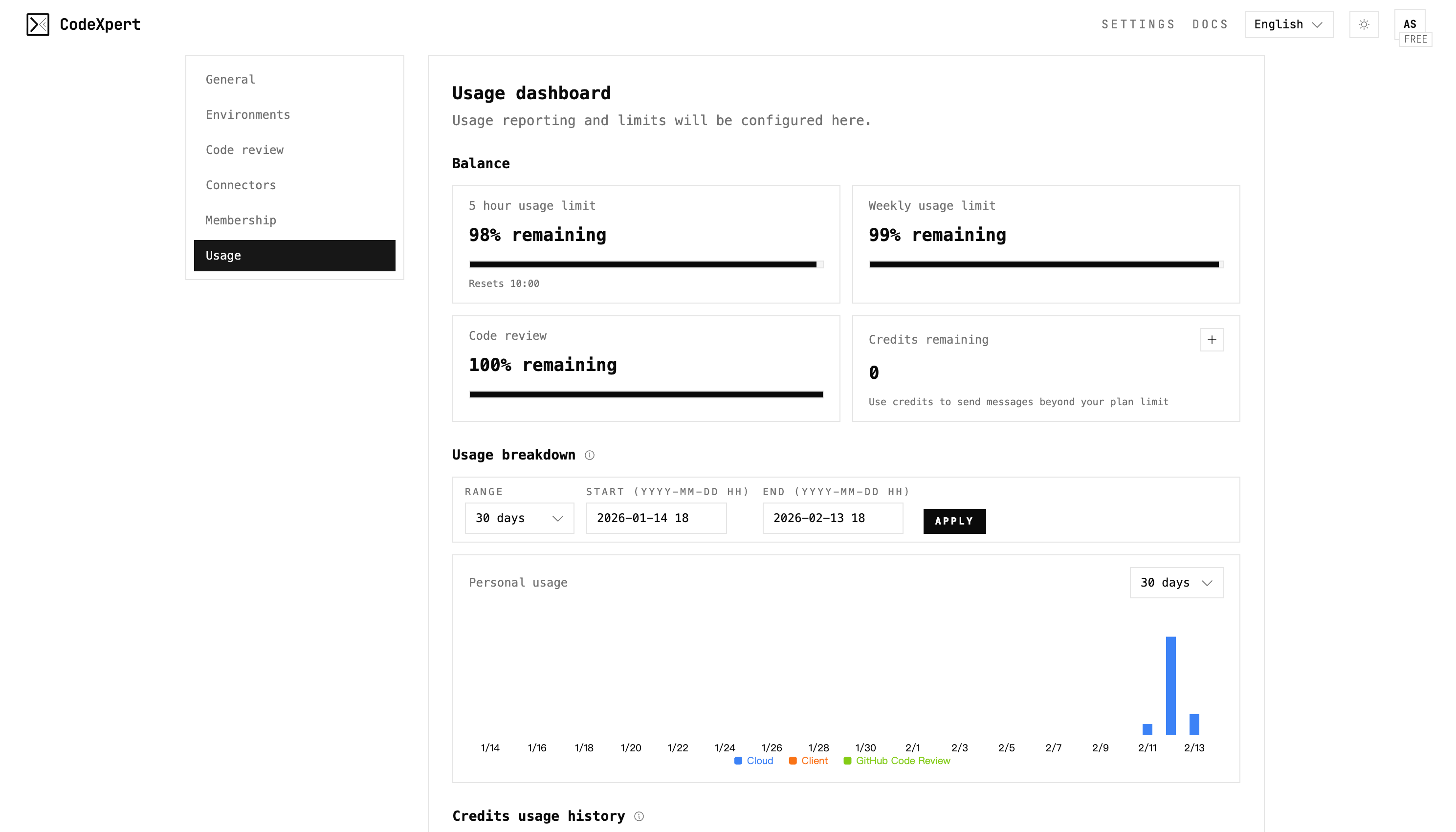
Configure your workspace to match your workflow:- Environments (runtime, setup, caching)
- Connectors (repository access)
- Code review preferences
- Token usage:
Best practices
- Write instructions as a short goal plus constraints.
- Sync after major steps to capture clean change sets.
- Use the diff viewer to validate impact before PR.
- Archive finished tasks to keep focus on active work.