> ## Documentation Index
> Fetch the complete documentation index at: https://docs.xpertai.cn/llms.txt
> Use this file to discover all available pages before exploring further.

# 嵌入网页

嵌入网页应用，提供了如何在您的网站或应用中嵌入我们的聊天机器人。通过这种方式，您可以为用户提供即时支持和增强的用户体验。
要嵌入聊天机器人，请按照以下步骤操作：

* 打开数字专家控制台，选择监控页面。在监控页面中的 WebApp 卡片区域里就是嵌入页面应用的配置。
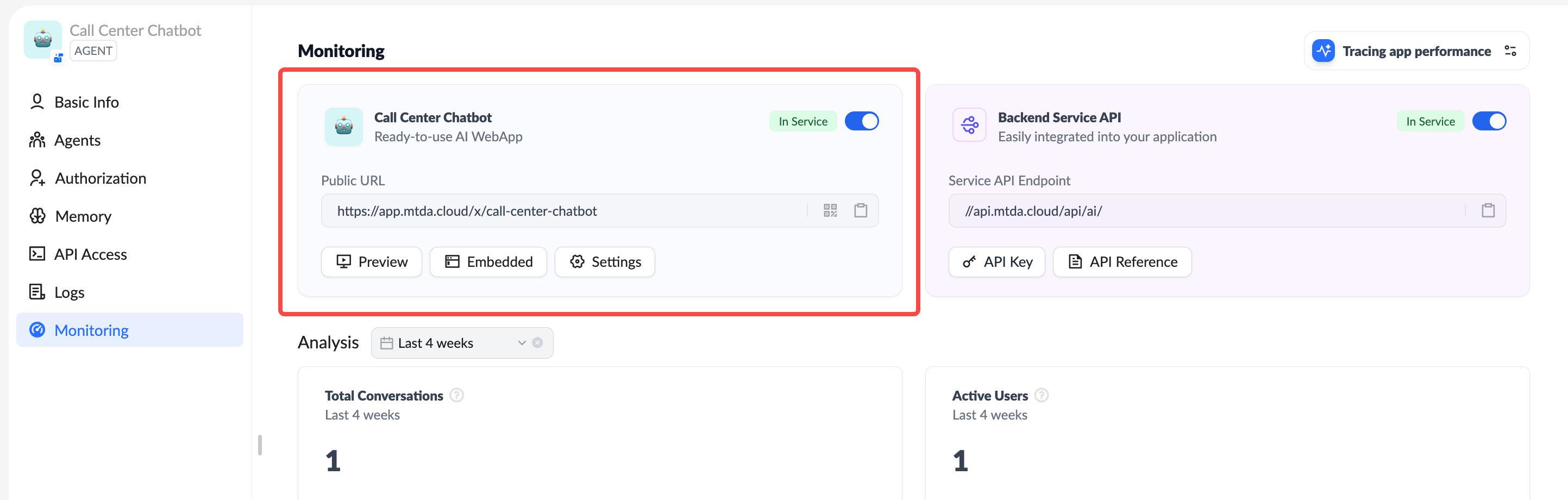
<img src="https://mintcdn.com/xpertai/KjFE_c3zPYs4Z9GJ/public/img/ai/xpert-monitor-public-webapp.png?fit=max&auto=format&n=KjFE_c3zPYs4Z9GJ&q=85&s=fc6d81d528ef0077ce84fad9c3d481a5" alt="Embedded Webapp" width="2886" height="920" data-path="public/img/ai/xpert-monitor-public-webapp.png" />

* **预览** 按钮可以打开一个单独的浏览器页签来预览嵌入页面应用的效果。

```html theme={null}
<iframe
  src="https://app.xpertai.cn/x/call-center-chatbot"
  style="width: 100%; height: 100%; min-height: 700px"
  frameborder="0"
  allow="microphone">
</iframe>
```

<div className="w-full flex justify-center mb-8">
  <iframe src="https://app.xpertai.cn/x/call-center-chatbot" width="600" height="500" class="mx-auto shadow-lg rounded-sm border border-solid border-gray-300" />
</div>

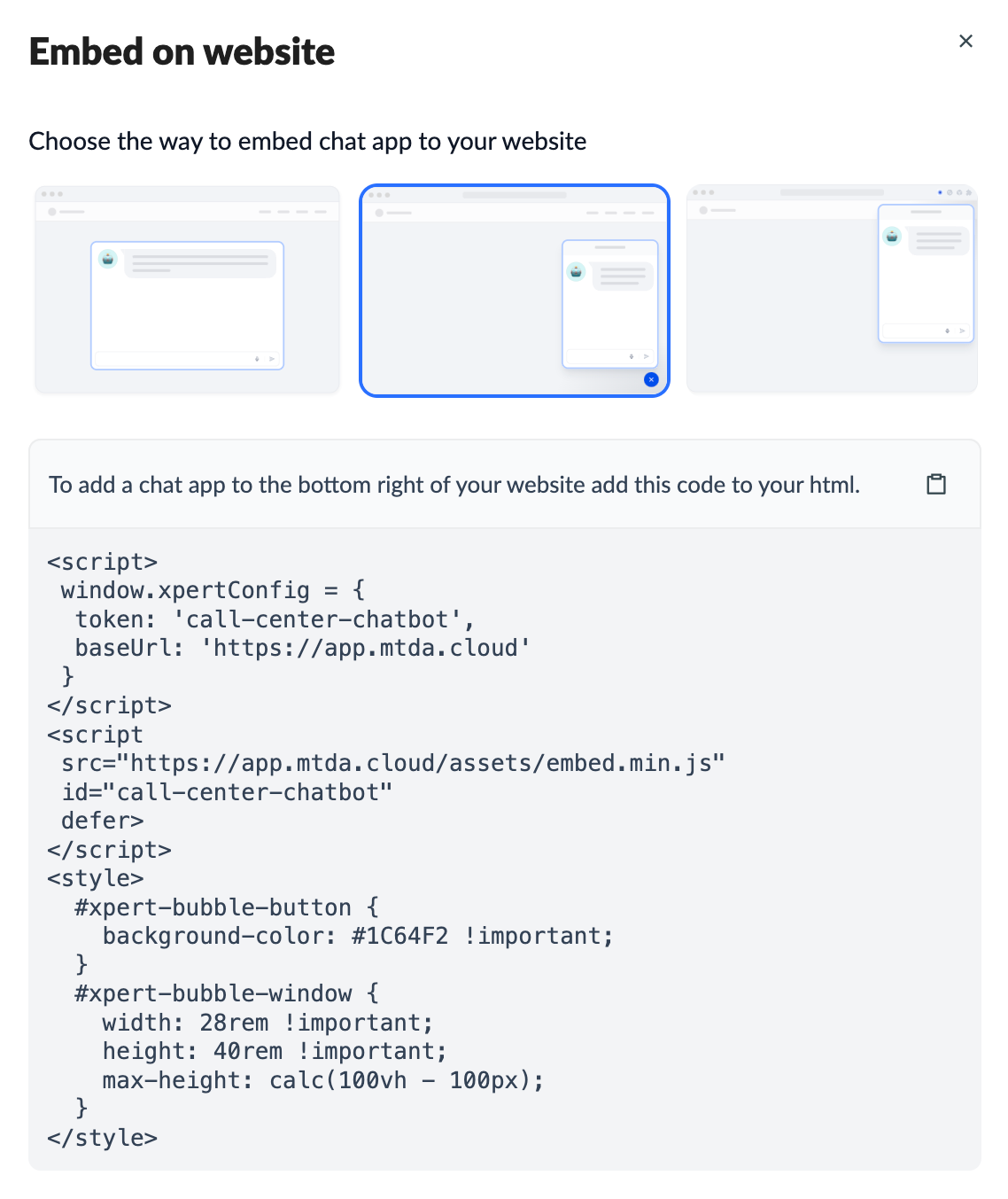
* **嵌入** 按钮打开对话框, 选择嵌入方式，然后复制代码到您的网站或应用中。

<img src="https://mintcdn.com/xpertai/KjFE_c3zPYs4Z9GJ/public/img/ai/xpert-embedded-button.png?fit=max&auto=format&n=KjFE_c3zPYs4Z9GJ&q=85&s=5944a78625b7037cbbba822a4ce6ec63" alt="Embedded Webapp Button" width="1138" height="1353" data-path="public/img/ai/xpert-embedded-button.png" />

* **设置** 按钮打开对话框，设置应用的公开属性，
  * **公开** 所有人均可访问，包括匿名用户。
  * **不公开** 有账号的人可访问，拒绝匿名用户。