> ## Documentation Index
> Fetch the complete documentation index at: https://docs.xpertai.cn/llms.txt
> Use this file to discover all available pages before exploring further.
# 参数
**参数** 是指可以在报表中进行配置和更改的变量。它们可以帮助用户更灵活地控制报表的显示和行为。参数在制作故事时常用来作为处理动态计算度量的控制器.
## 计算公式使用参数
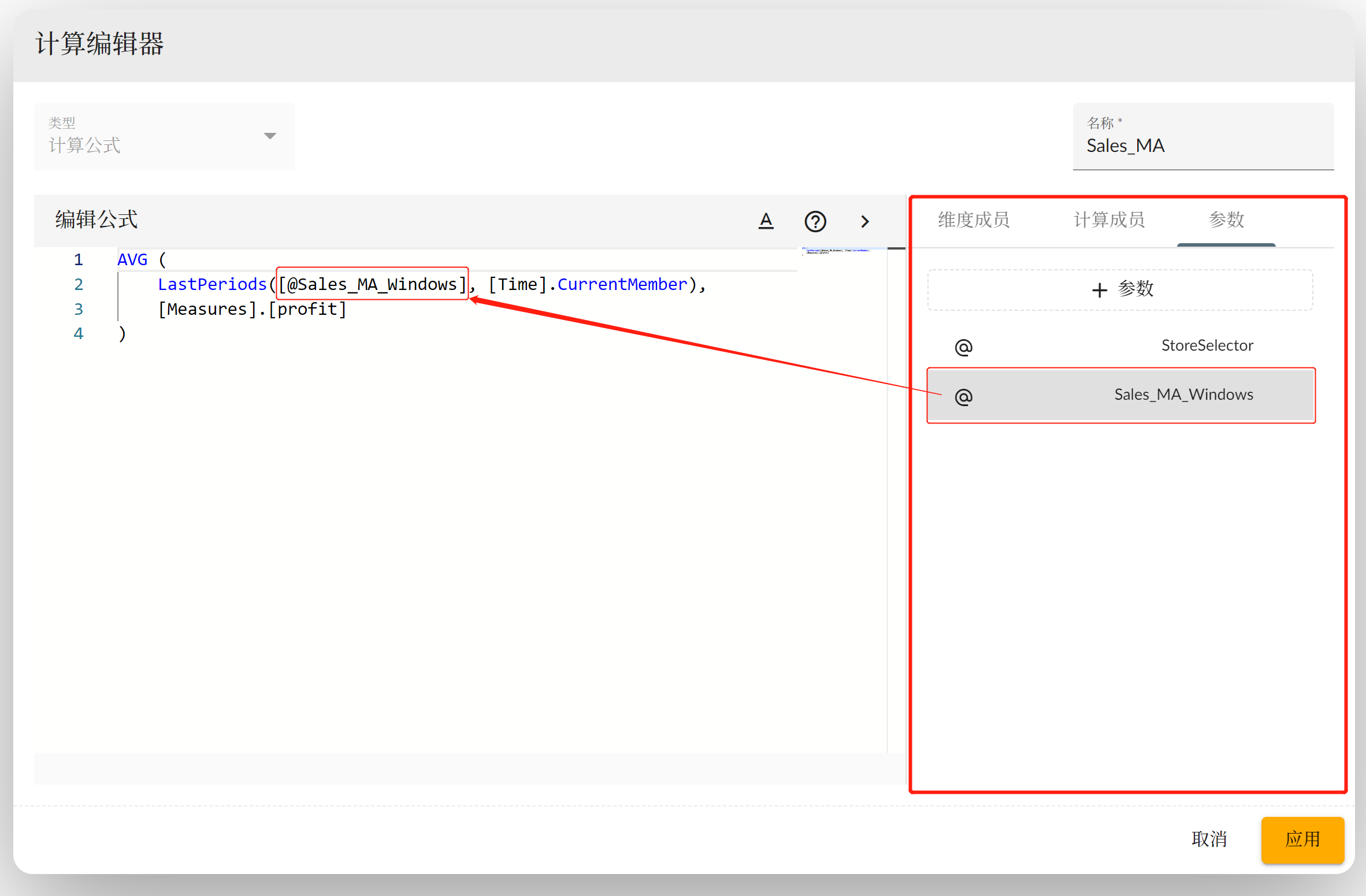
可以在计算度量的计算公式中使用参数, 公式中的参数会在运行时被替换成用户实际输入值. 如下图所示, 在计算公式窗口的右侧栏参数页签内可以创建和修改参数, 将参数项拖拽到左侧编辑区域中可以将参数插入公式代码中. 也可以手动书写参数固定格式为 `[@ParameterName]`
 ### 创建参数
点击界面中的 **+参数** 按钮创建新的参数. 参数类型分为:
* **输入**
* **选择**
* **维度**
#### 输入值参数
输入类型为用户手动输入参数所需的值, 值的类型可以为 数值(number)和字符串(string)等, Date 类型还未实现 TODO.
### 创建参数
点击界面中的 **+参数** 按钮创建新的参数. 参数类型分为:
* **输入**
* **选择**
* **维度**
#### 输入值参数
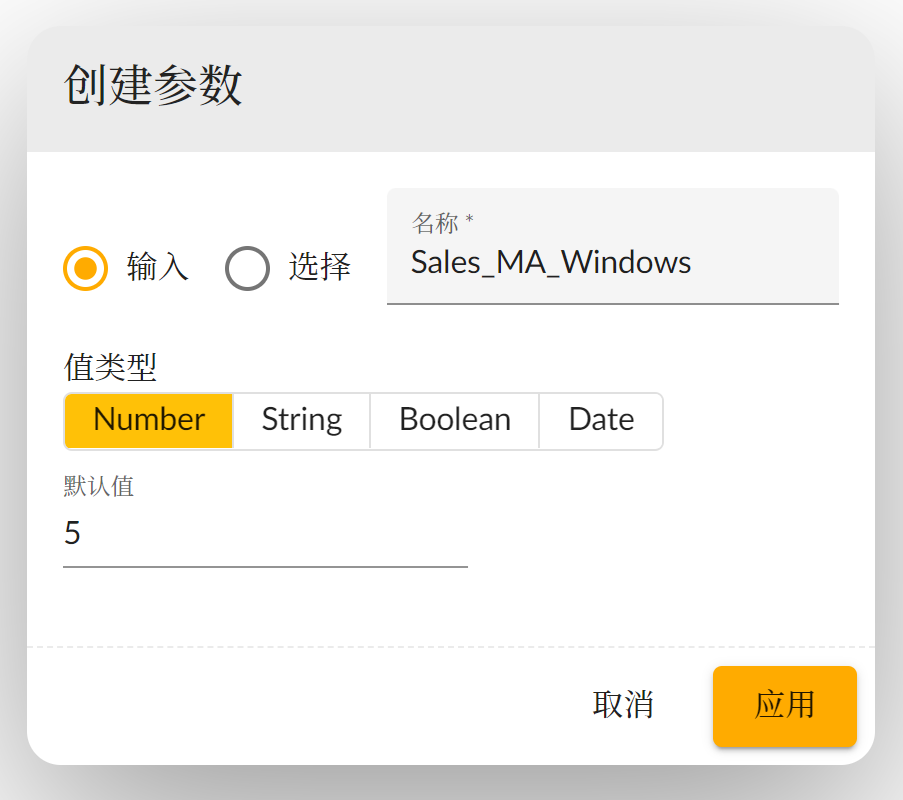
输入类型为用户手动输入参数所需的值, 值的类型可以为 数值(number)和字符串(string)等, Date 类型还未实现 TODO.
 #### 选择项参数
可以手动创建几条固定可选项供用户选择, 选择一条作为默认值
#### 选择项参数
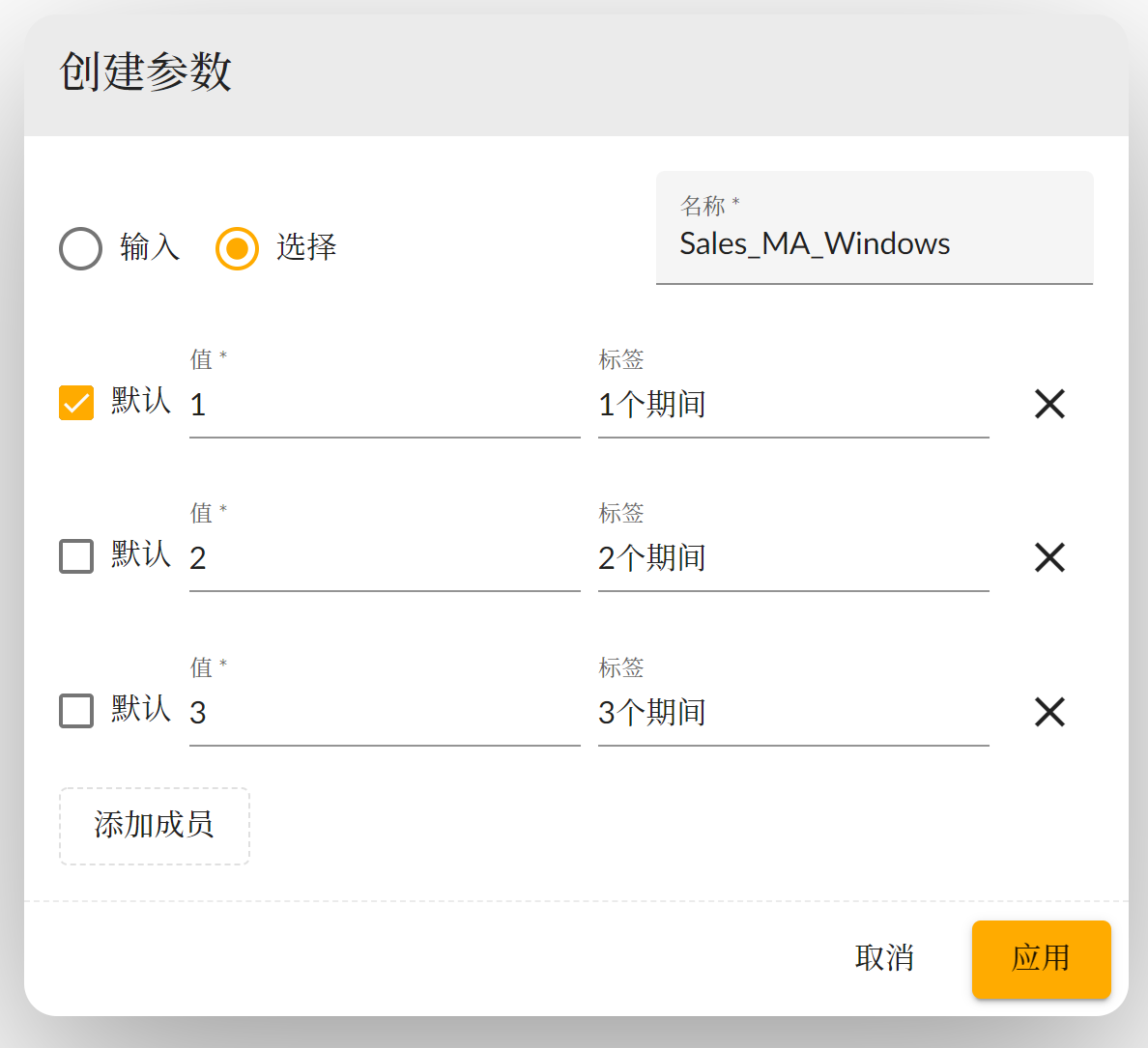
可以手动创建几条固定可选项供用户选择, 选择一条作为默认值
 ## 受限度量使用参数
[受限度量](../calculations/#2-受限度量-restricted-measure) 的限定条件维度上也可以设置参数, 在选择上下文中的维度上点击层次结构按钮, 选择层次结构也可以不选就使用默认的层次结构, 然后选择固定的维度成员, 或者\*\*+创建参数\*\*. 参数创建成功后要点击选中此参数.
## 受限度量使用参数
[受限度量](../calculations/#2-受限度量-restricted-measure) 的限定条件维度上也可以设置参数, 在选择上下文中的维度上点击层次结构按钮, 选择层次结构也可以不选就使用默认的层次结构, 然后选择固定的维度成员, 或者\*\*+创建参数\*\*. 参数创建成功后要点击选中此参数.
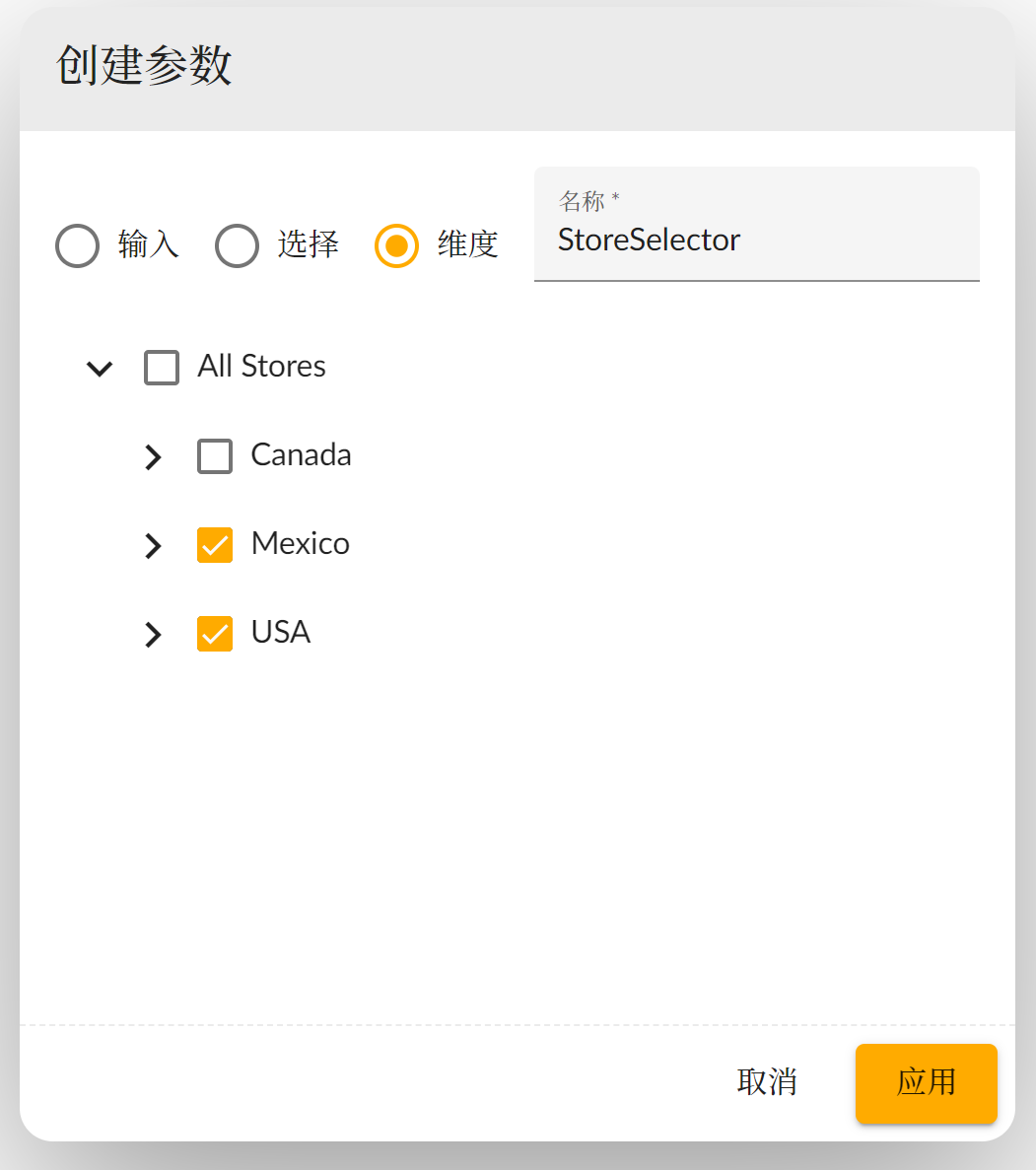
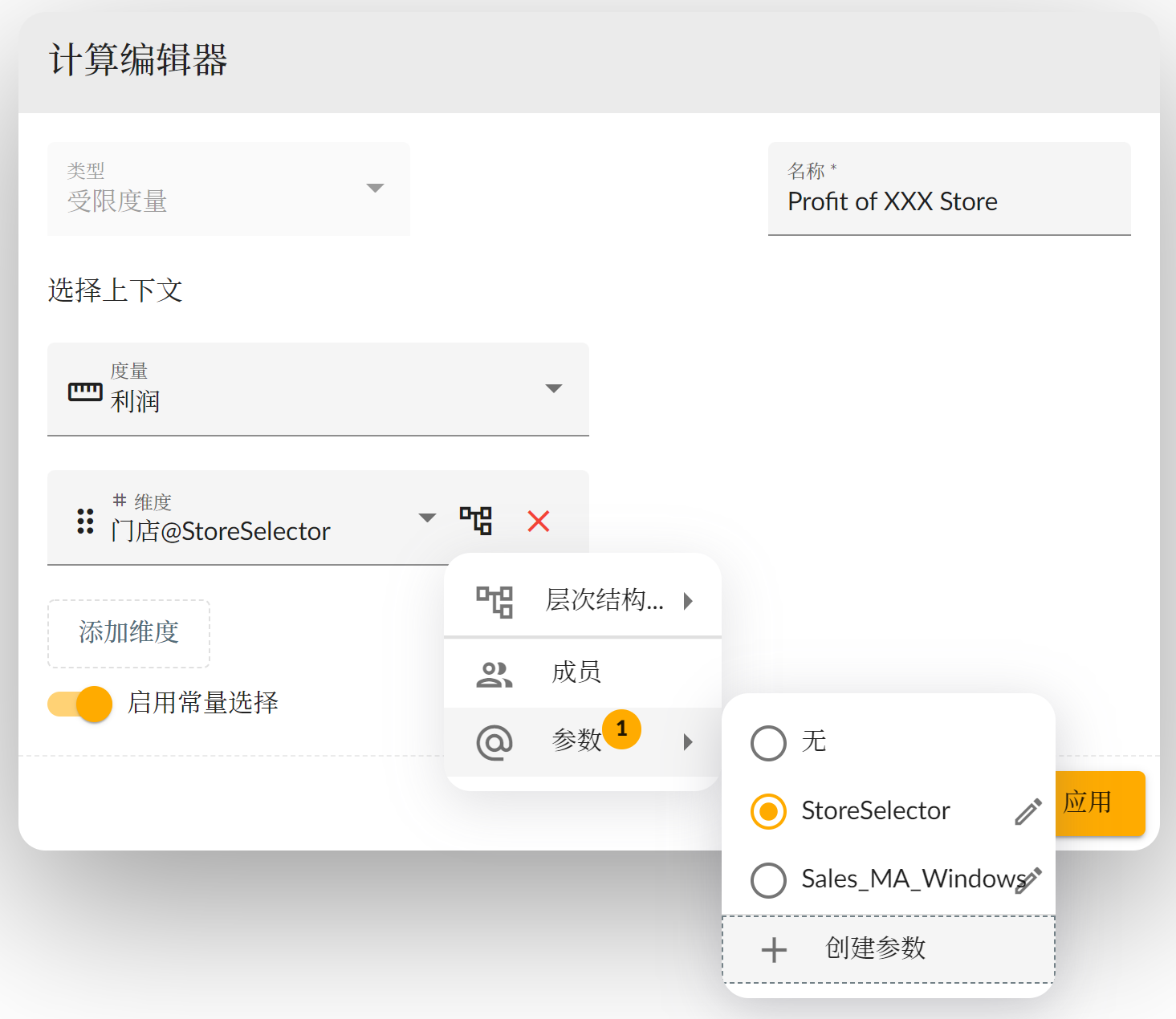 创建维度成员选择参数, 如下图所示维度成员列表会根据维度选择器里设置的层次结构将维度成员展示出来, 你可以选中多个想要让用户选择的成员, 点击应用创建参数.
 ## 条件聚合使用参数
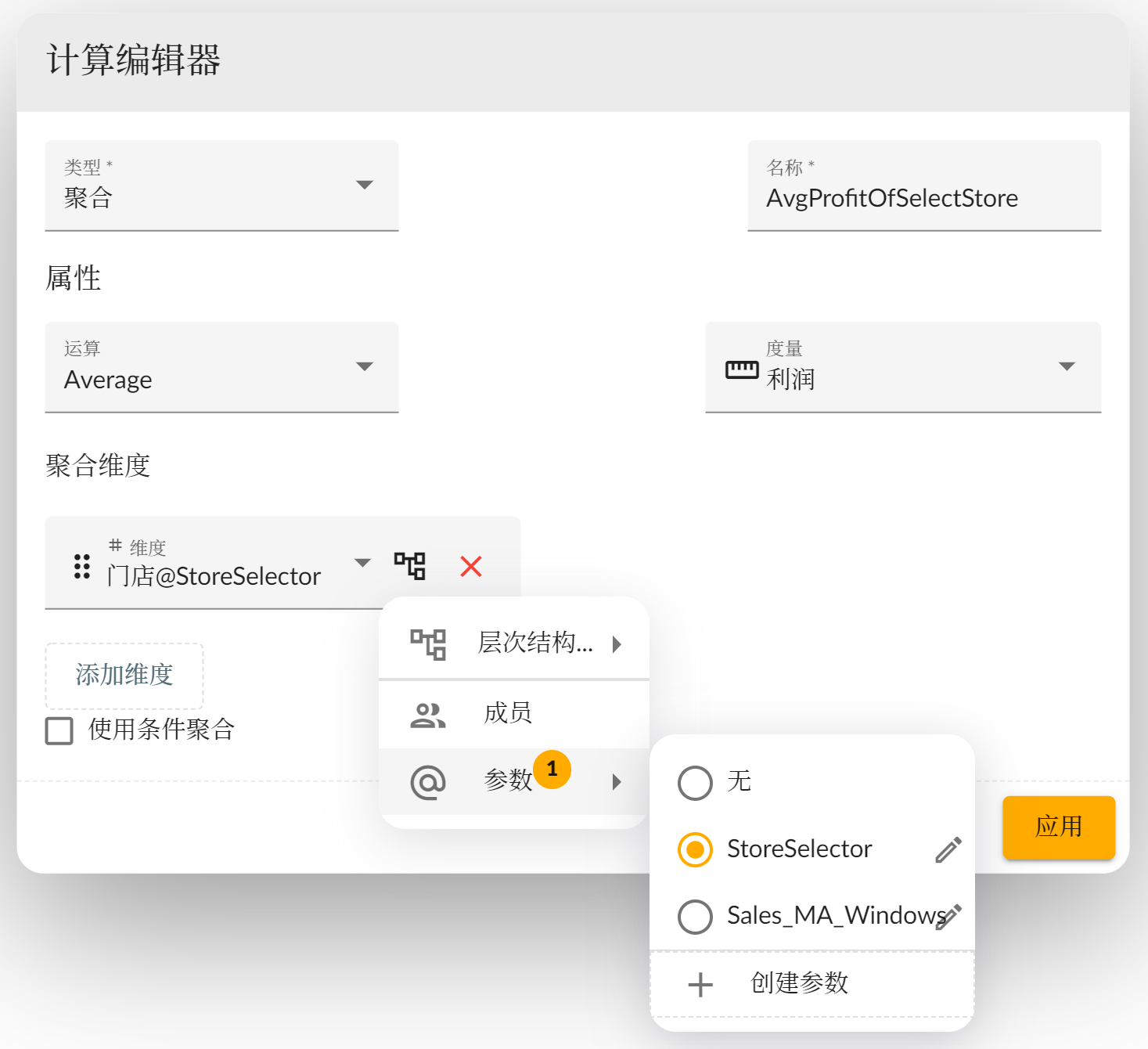
在条件聚合的维度上也可以使用参数, 创建过程跟其他的维度参数相同. 如下图所示, 要计算用户选择的门店的平均利润.
## 条件聚合使用参数
在条件聚合的维度上也可以使用参数, 创建过程跟其他的维度参数相同. 如下图所示, 要计算用户选择的门店的平均利润.
 ## 参数输入控制器
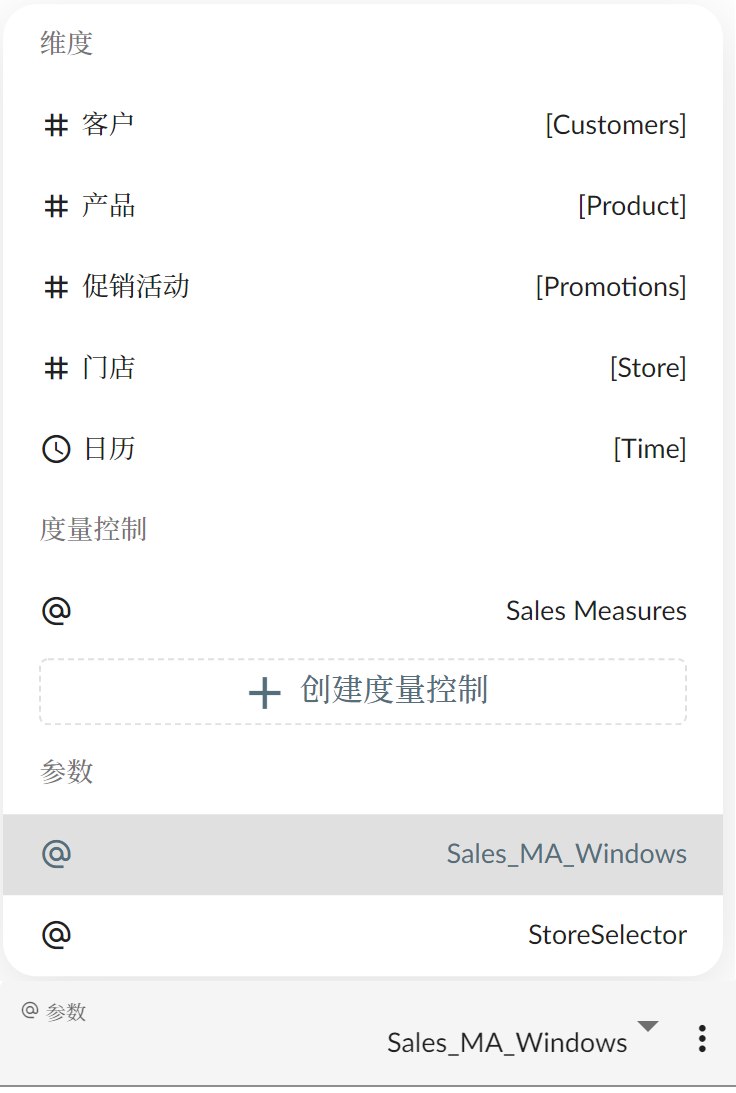
想要让用户控制参数的值需要在故事中创建输入 [控制器组件](../../widgets/input-control#参数输入器), 在输入控制器的 **维度/度量** 参数弹出列表中选择 **参数** 区域里
的参数
## 参数输入控制器
想要让用户控制参数的值需要在故事中创建输入 [控制器组件](../../widgets/input-control#参数输入器), 在输入控制器的 **维度/度量** 参数弹出列表中选择 **参数** 区域里
的参数
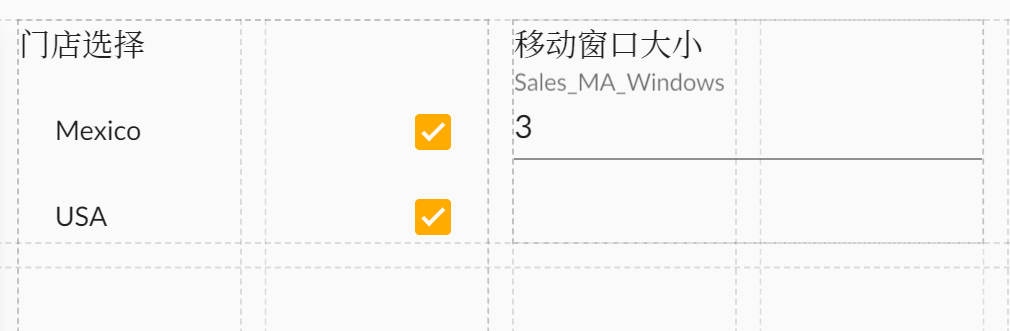
 输入控制器将展示维度成员或者输入框供用户选择和输入值
 ## 管理参数
统一管理故事参数是在故事首选项菜单中, **参数** 子菜单点击打开参数管理窗口.
在参数管理窗口中可以浏览多个模型实体的参数, 然后编辑或者删除参数.
## 管理参数
统一管理故事参数是在故事首选项菜单中, **参数** 子菜单点击打开参数管理窗口.
在参数管理窗口中可以浏览多个模型实体的参数, 然后编辑或者删除参数.