

Core capabilities
From document to grounded answer
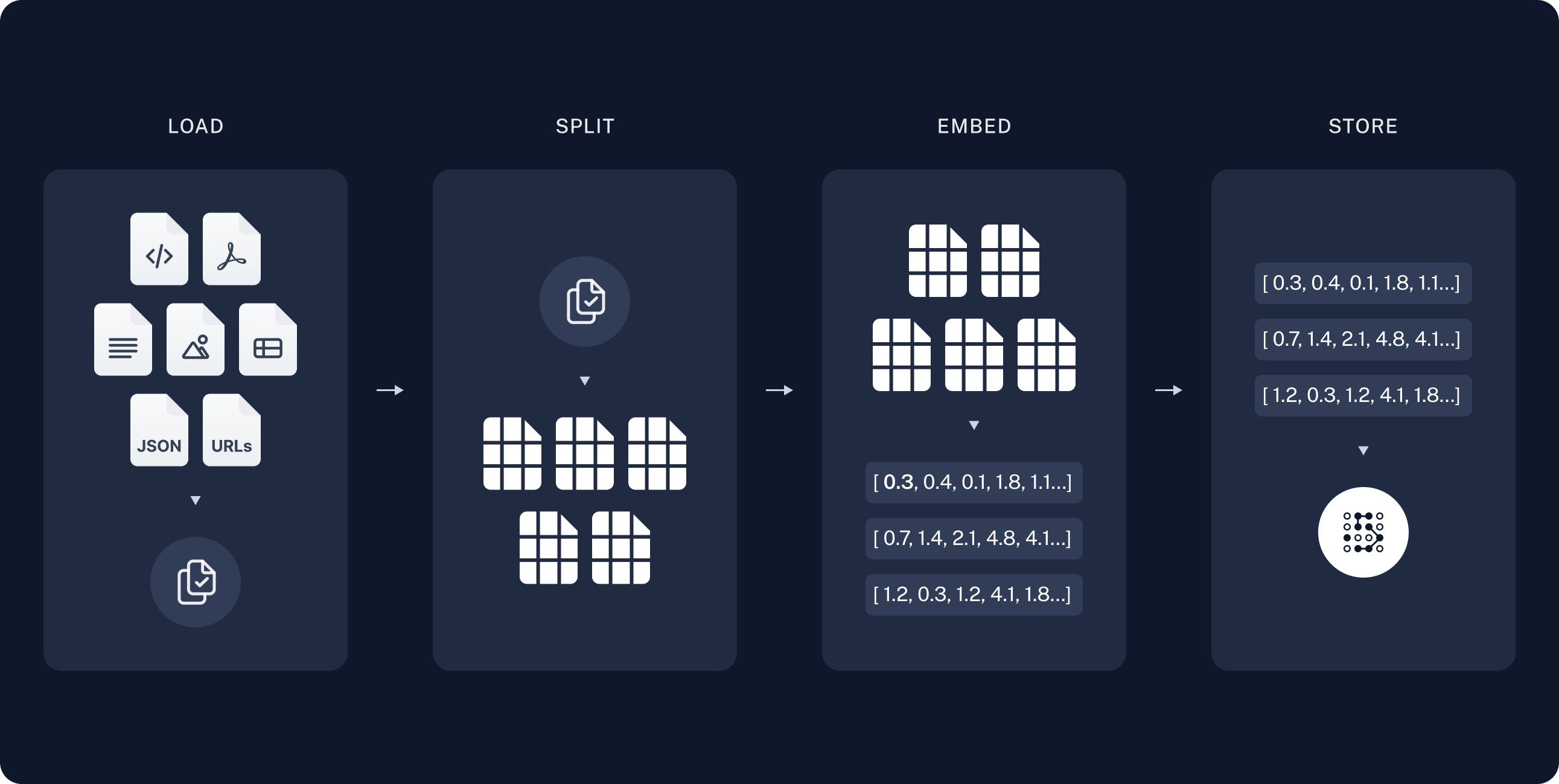
- Ingest content: upload files, scrape web pages, or connect business document sources through a knowledge pipeline.
- Parse and chunk: extract and clean text, then create chunks suitable for retrieval.
- Embed and index: use the configured embedding model and write vectors to the vector database.
- Constrain candidates: apply access boundaries, enabled-content checks, fixed filters, and agent-generated filters.
- Explore relationships when useful: for GraphRAG-enabled knowledge bases, let the agent discover entities and relations before forming the final retrieval query.
- Rank semantically: rank the remaining chunks by vector similarity and apply TopK and score thresholds.
- Generate with citations: pass the results to downstream models while preserving traceable document sources.
PDF processing and source linking
For scans, engineering manuals, contracts, and complex table PDFs, the Baidu PaddleOCR‑VL document converter can preserve paged layouts, tables, images, coordinates, and source maps. After processing, document details provide a side-by-side analysis preview: the original PDF and layout bounds appear on the left, while Markdown, structure, tables, images, and JSON appear on the right. Scrolling, active pages, and selected analysis blocks synchronize in both directions. Baidu Unlimited‑OCR focuses on long-document Markdown extraction. MinerU supports both its official Precise Parsing API and self-hosted services, with OCR, formula, table, and VLM/pipeline options. The Pdfium PDF to Markdown tool lets an agent process a task attachment temporarily. See PDF Processing and Linked Analysis Preview to choose and configure the appropriate capability.Intelligent filtering for multi-domain knowledge
When engineering, water-resources, logistics, and other material share one knowledge base, unrestricted semantic matching may retrieve similar but inapplicable content. XpertAI can apply structured conditions before vector search:- administrators define fixed filters for a domain, project, folder, or document-status boundary that the agent cannot change;
- when Allow agent automatic filtering is enabled, the agent can infer a year, file format, region, or keyword from the question and add request-specific conditions;
- both layers are always combined with
AND, so the agent can narrow but never bypass the fixed scope; - if no reliable dynamic condition can be inferred, the agent omits it and still searches within the fixed scope.
file extension = pdf, effective year = 2025, and file name contains rate schedule.
See Intelligent Retrieval Filtering for fields, operators, configuration steps, runtime behavior, and the support matrix.
Document and metadata management
XpertAI automatically maintains these system attributes:- file name and logical knowledge base folder path;
- file extension and MIME type;
- document category and source type;
- creation and update timestamps.
Ways to retrieve knowledge
See Ways to Use the Knowledge Base and Knowledgebase Workbench.