

Learn how to define tools that let the agent operate client-side capabilities.
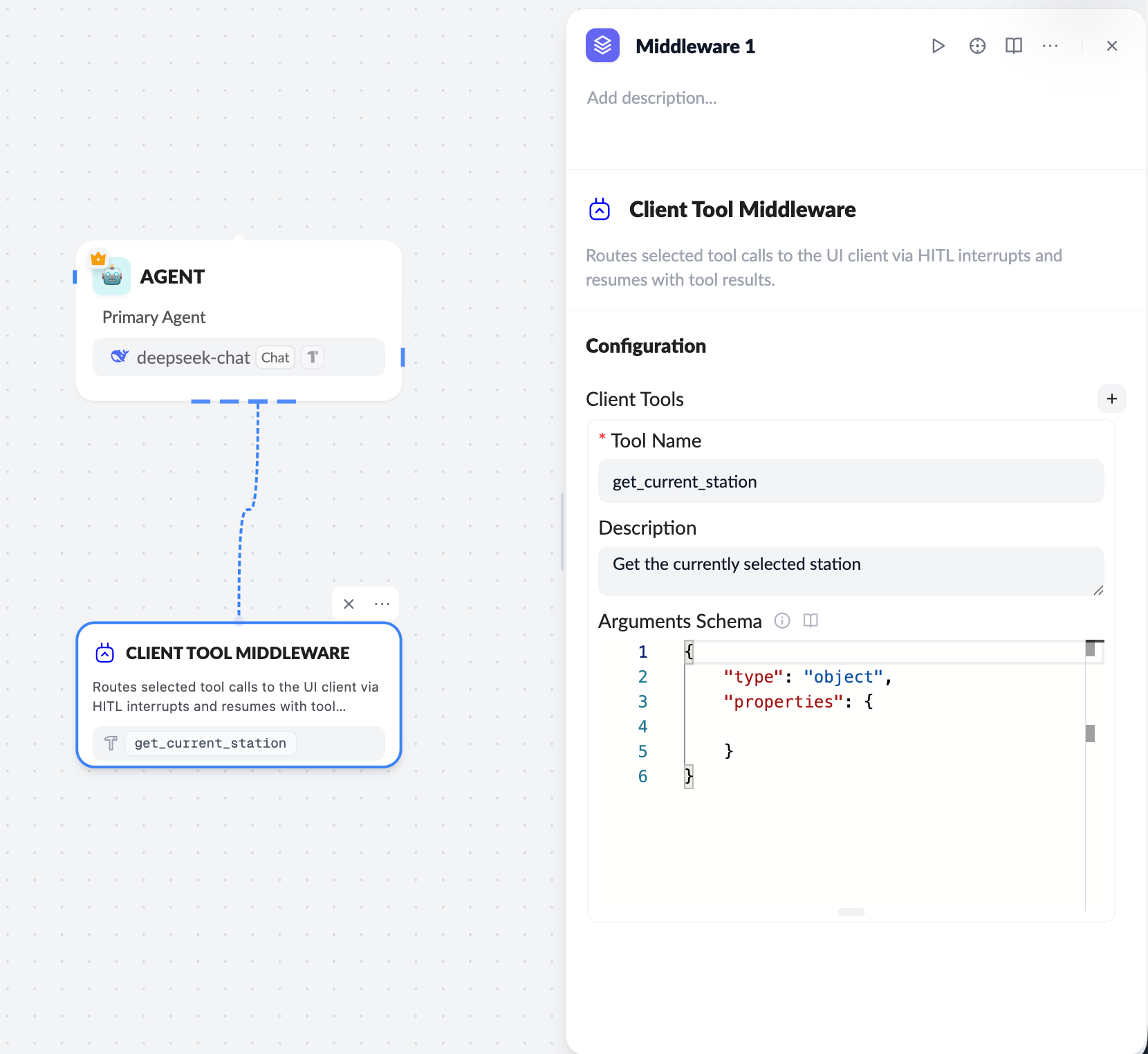
Workflow
- Configure the Client Tool on the server
- Use the Client Tool middleware in the workflow
- Define
Tool Name / Description / Arguments Schema
- Model triggers a tool call
- The LLM calls the specified Client Tool based on context
- Frontend receives and executes
- ChatKit sends the call to the frontend via
onClientTool - The frontend runs the real logic (UI or local state)
- Return the result
- The frontend returns the tool result
- ChatKit passes the result back to the model to continue generation
Server configuration essentials
Tool Name- Unique identifier, for example
get_current_station - Must exactly match the
namein frontend code
Frontend (React) integration
RegisteronClientTool in useChatKit:
Return payload format
tool_call_id: requiredstatus:successorerrorcontent: string (JSON recommended)
Best practices
- Keep tool names identical between server and frontend
- Use
useRefto read the latest UI state and avoid stale closures - Keep
contentconcise; avoid large payloads - For failures, return
status: "error"
Client tools let ChatKit safely and controllably integrate with frontend state and user interactions—a key capability for HITL (Human-in-the-loop) and UI-aware agents.