

🧩 Feature Highlights
✅ Multi-Environment Definition and Switching
Each agent workspace supports creating multiple named environments (e.g.,dev, test, prod), enabling independent configuration management for different business stages or runtime needs.
✅ Unified Environment Variable Management
Each environment can define multiple key-value pair variables, accessible across the platform using the unified syntax{{env.variable_name}}. These can be applied to agent model parameters, tool configurations, API calls, and more.
✅ Global Injection Mechanism
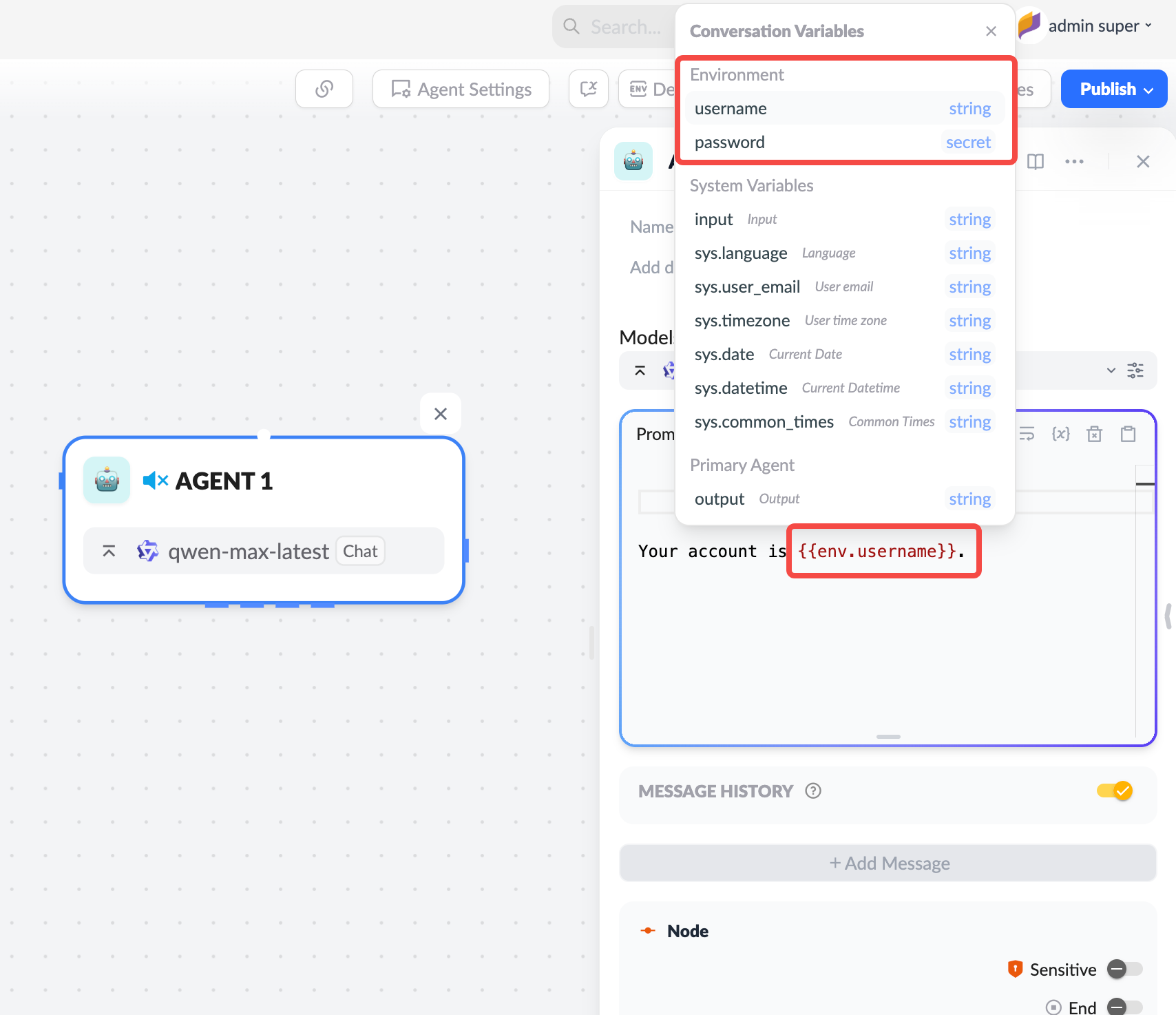
Environment variables can be dynamically resolved and injected into:- Agent configurations (e.g., prompts)
- Workflow node parameters (e.g., HTTP params)
- Toolset connection configurations (e.g., API Key)
✅ Environment Binding for Digital Expert Publishing
When publishing a digital expert, you can bind a specific environment, which will automatically take effect during end-user interactions. This ensures digital experts use different prompts, APIs, or tool resources at various stages for consistent and controlled behavior.✅ Runtime Environment Selection
When running or testing agents or workflow tasks, you can manually select an environment, and the platform will automatically load the corresponding variable set, improving testing efficiency and scenario flexibility.🛠 How to Use
1. Create an Environment
Go to the workspace → Click the “Env” tab → Create an environment → Define the variable set: For example: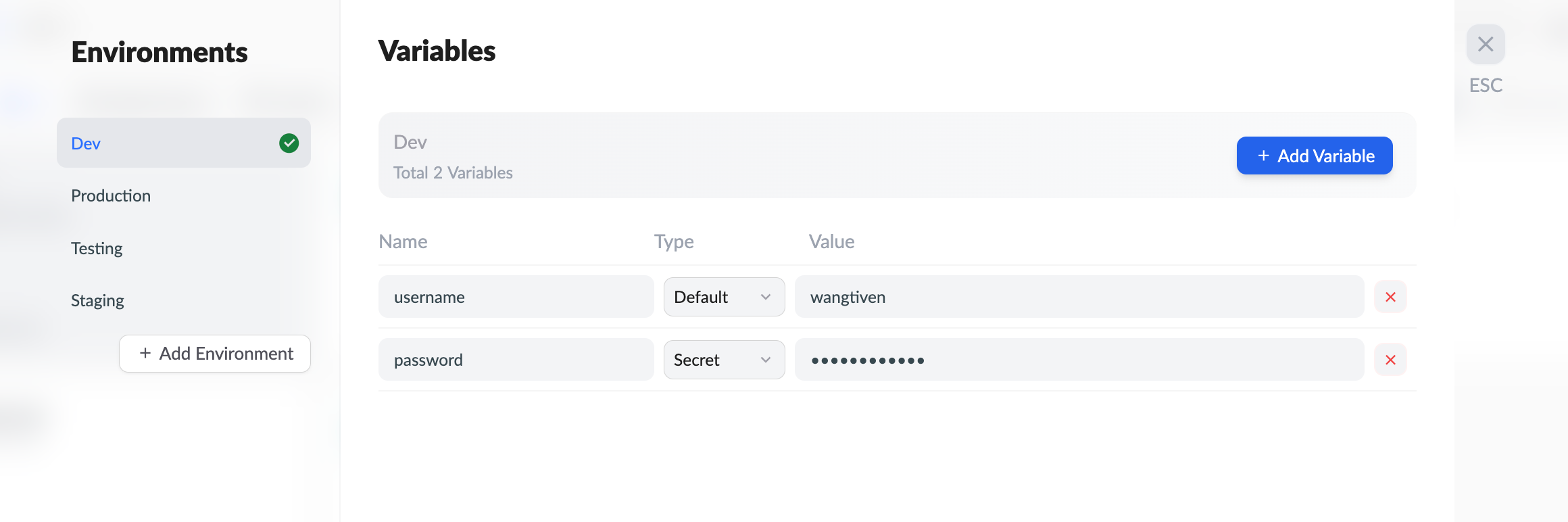
2. Reference Variables
Use the{{env.variable_name}} syntax in agent, workflow, or tool configurations. For example:
3. Bind Default Environment for Digital Expert
In the “Digital Expert” publishing interface, select the default environment to bind. Once bound, all end-user conversation requests will run with that environment’s variables, ensuring response consistency and security.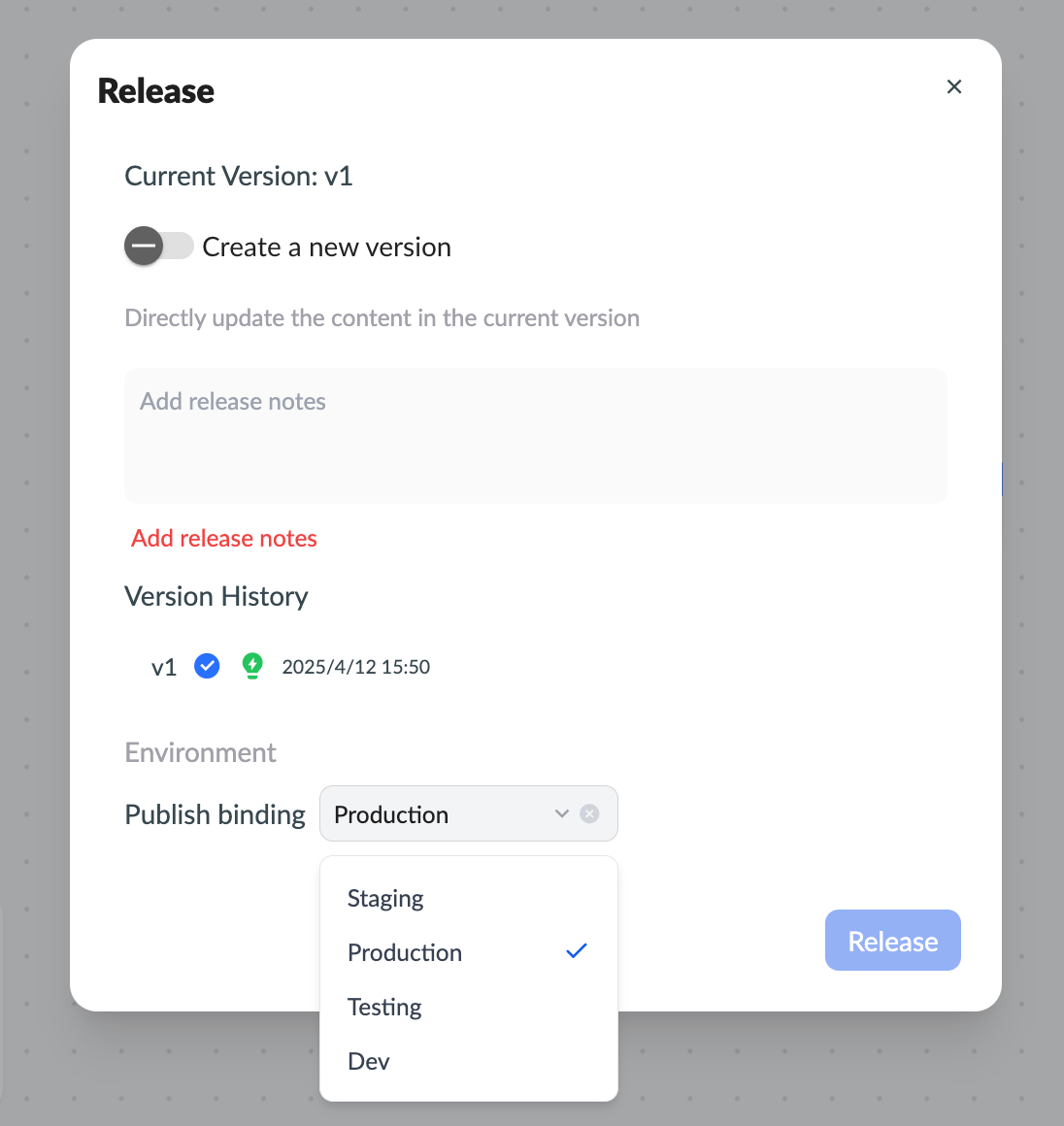
4. Manually Switch Environments for Testing
During development or debugging, flexibly select environments to simulate behavior differences across scenarios.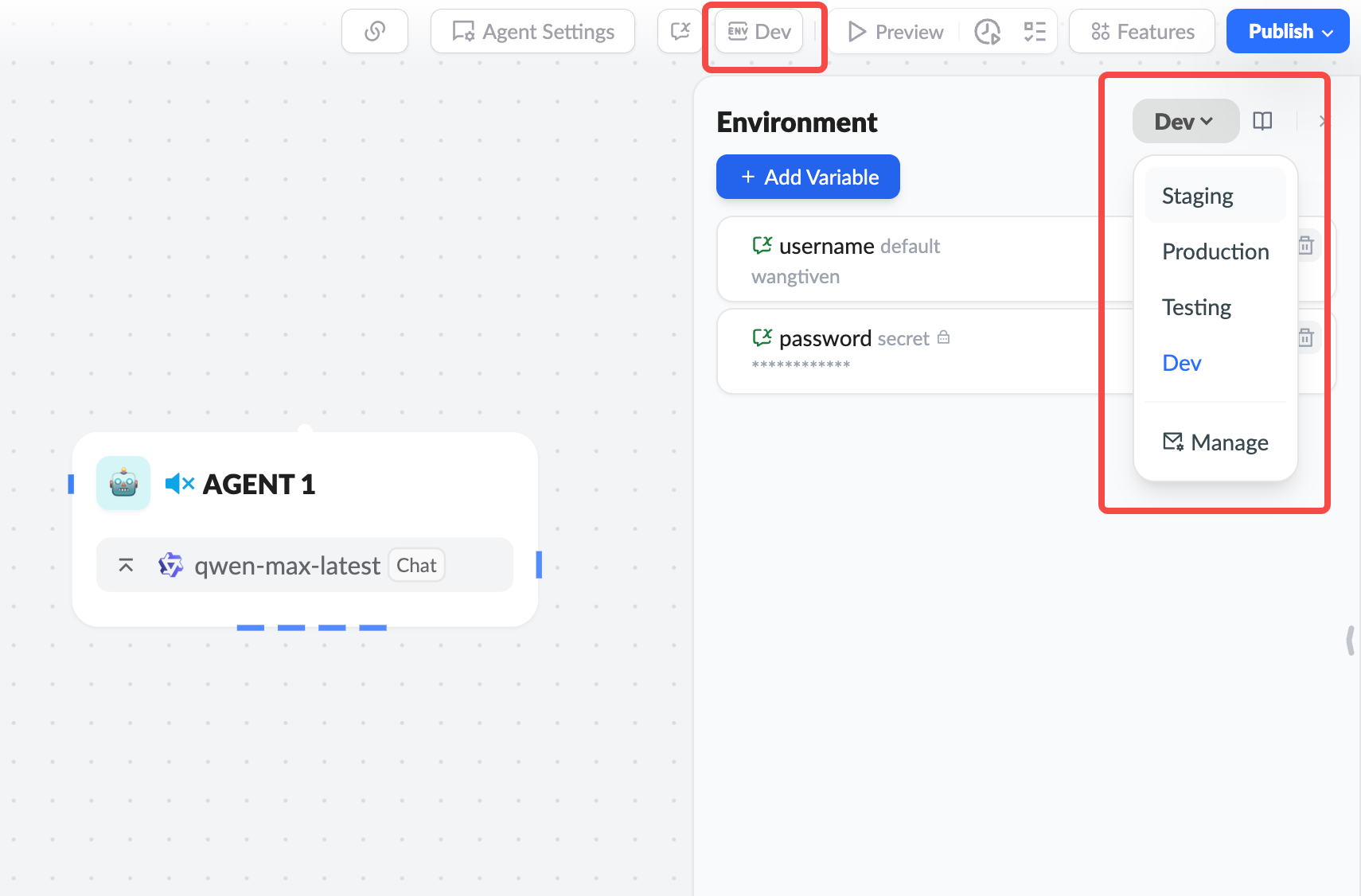
The release of the Env feature marks a significant step forward for the XpertAI platform in configuration management, security control, and enterprise-grade multi-scenario deployment capabilities. Try it now and build your exclusive AI system with greater professionalism!