

Comparison Supervisor Architecture
How to Orchestrate
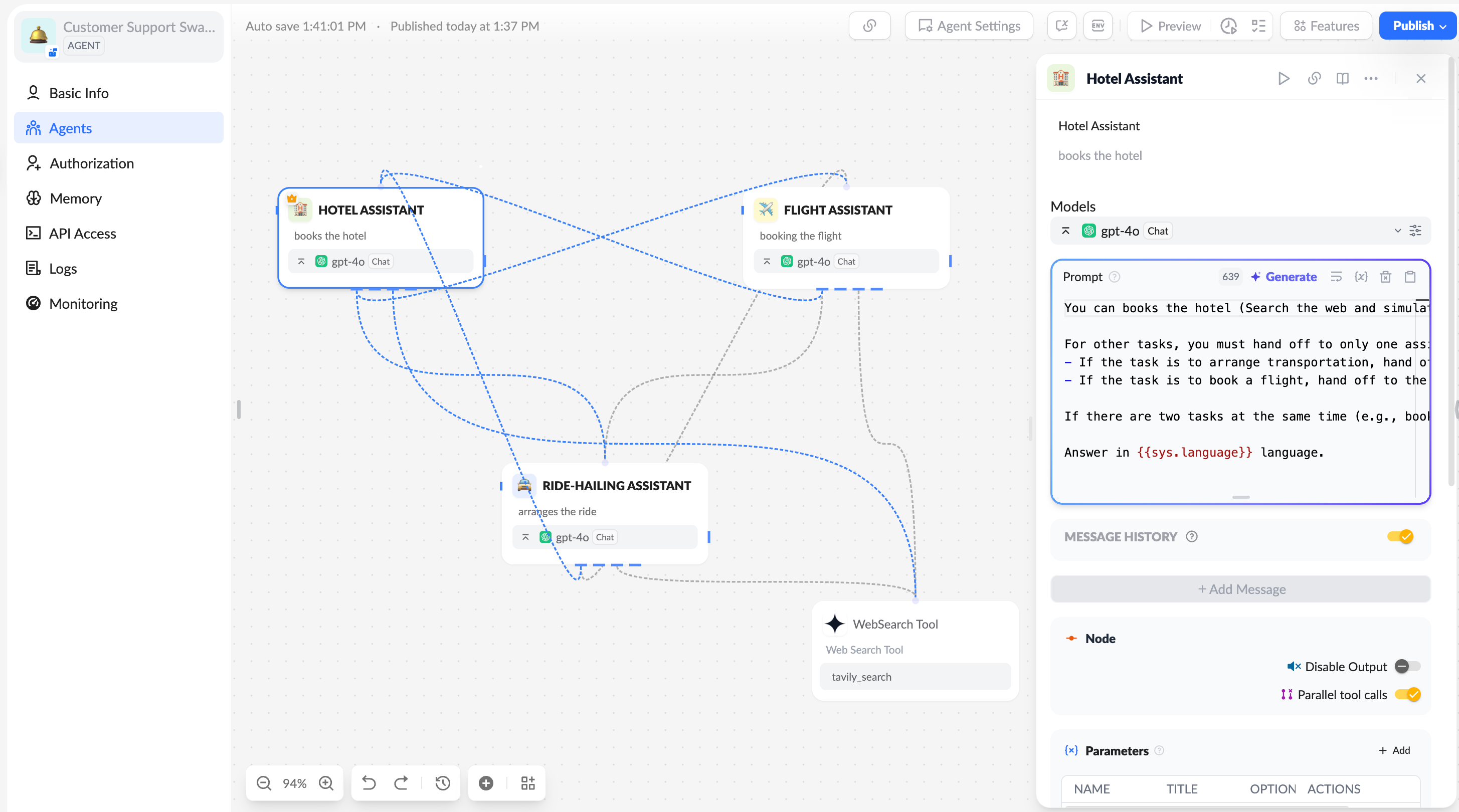
To implement the swarm mode in XpertAI digital expert agents, simply add call connections from sub-agents to the main agent to switch to swarm mode, while the Supervisor working mode remains available.- The large model selected must have tool-calling capabilities.
Prompt Design
When setting prompts for a combination of agents in swarm mode, pay attention to the following points:- The prompt should clearly specify which tasks are handed over to which agent.
- The prompt should indicate that control can only be transferred to one agent at a time, avoiding simultaneous transfers to multiple agents.
Conversation
In the user conversation interface, you can directly interact with the entire digital expert system. The main agent will first receive the user’s message, process it, or pass it to other agent members within the swarm, and so on. The roles of agent members within the swarm are equal (in contrast to the Supervisor mode, where sub-agents must return processed messages to the Supervisor agent, which then decides the next step in the conversation or whether it can end).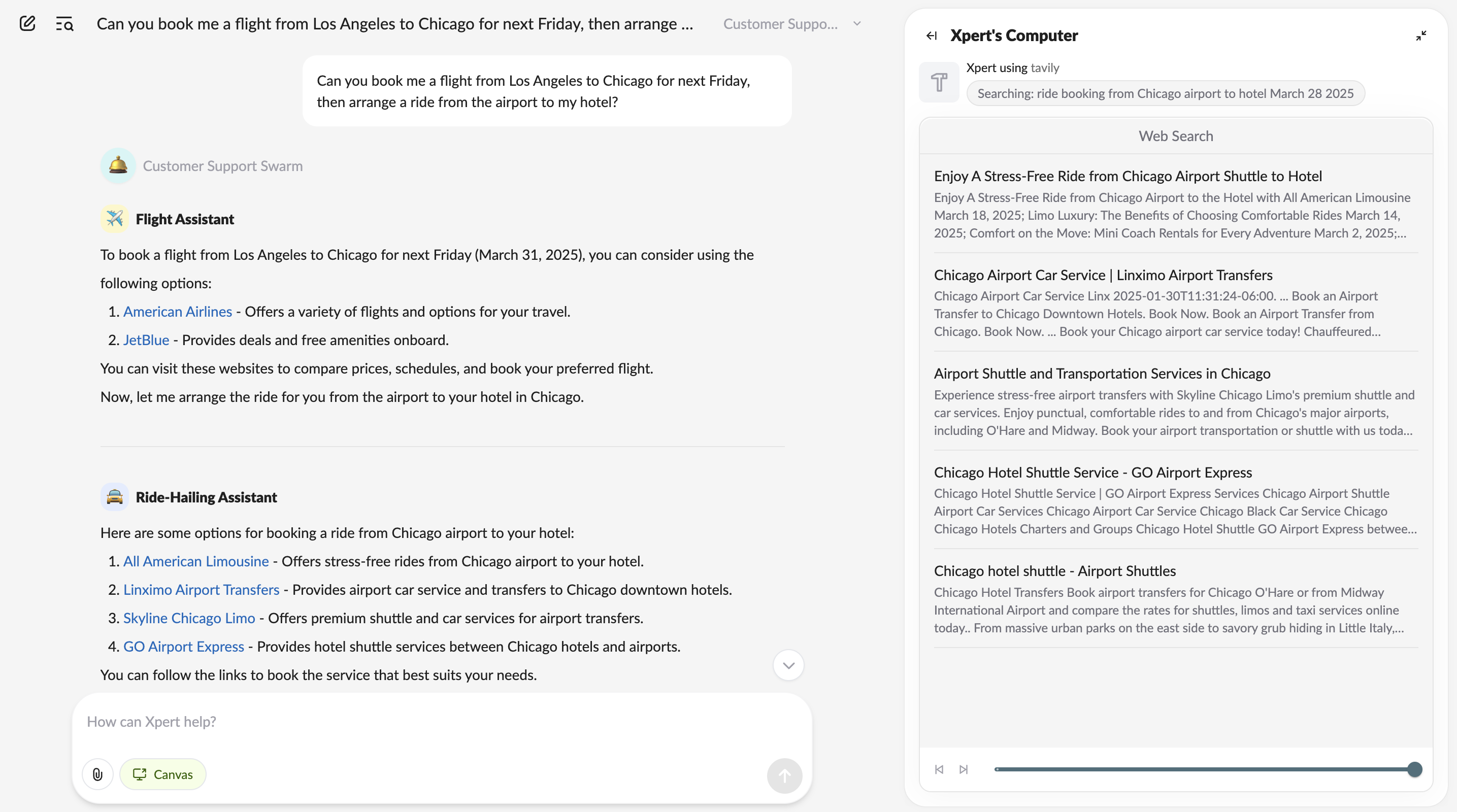
- Reference template Customer Support Swarm.
- LangGraph Multi-Agent Swarm