Derivative Indicators
Once a indicator is set as a derivative indicator, its content can be expressed through two attributes: calculation formula and aggregation type. The calculation formula can be entered directly into the input box or written using the pop-up formula editing window.Calculation Formulas for SQL Models
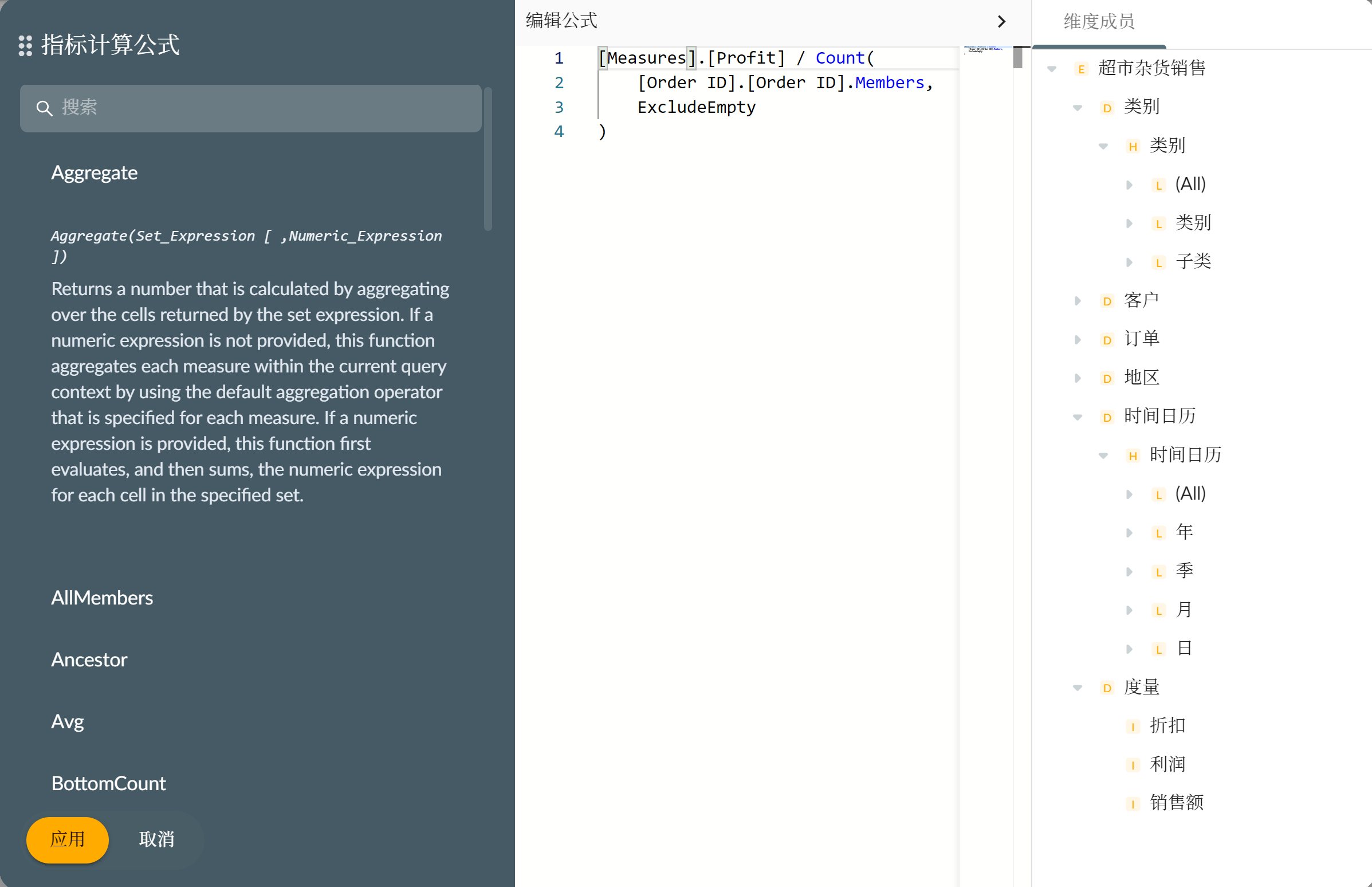
Calculation formulas for indicators based on SQL multidimensional models support the use of Measures indicators for calculation. You can open the entity type list on the right side of the formula editing window to drag measures into the editor: The aggregation type determines whether the indicator in the indicator calculation formula is aggregated after calculation or aggregated before calculation. If the derivative indicator has an aggregation type set, the formula is aggregated after calculation. If no aggregation type is set, then the indicator in the formula is aggregated according to its own aggregation type before calculation.
For example, in the above formula, if the derivative indicator has an aggregation type of SUM, then the generated SQL fragment at runtime would be:
The aggregation type determines whether the indicator in the indicator calculation formula is aggregated after calculation or aggregated before calculation. If the derivative indicator has an aggregation type set, the formula is aggregated after calculation. If no aggregation type is set, then the indicator in the formula is aggregated according to its own aggregation type before calculation.
For example, in the above formula, if the derivative indicator has an aggregation type of SUM, then the generated SQL fragment at runtime would be:
Calculation Formulas for MDX Models
Derivative indicators based on MDX models can use the MDX language to write calculation formulas for indicators. Since MDX language can implement complex data queries and analysis, derivative indicators based on MDX calculation formulas can achieve complex indicator calculations. For example, if creating a US Sales Profit Growth Rate indicator, add the US region slicer to the indicator’s constraints, and then write the MDX calculation formula as follows:( Measures.[Profit] - CoalesceEmpty( (Measures.[Profit], [Time].PrevMember), Measures.[Profit] ) ) / CoalesceEmpty( (Measures.[Profit], [Time].PrevMember), Measures.[Profit] )