How to Configure the Model for Analysis?
To analyze models on the data analytics platform using the ChatBI Toolset, authorize the relevant model(s) for the toolset. As shown below, select the model to analyze in the Chat Models attribute, in addition to name and description attributes, then save the authorization to enable three tools and save.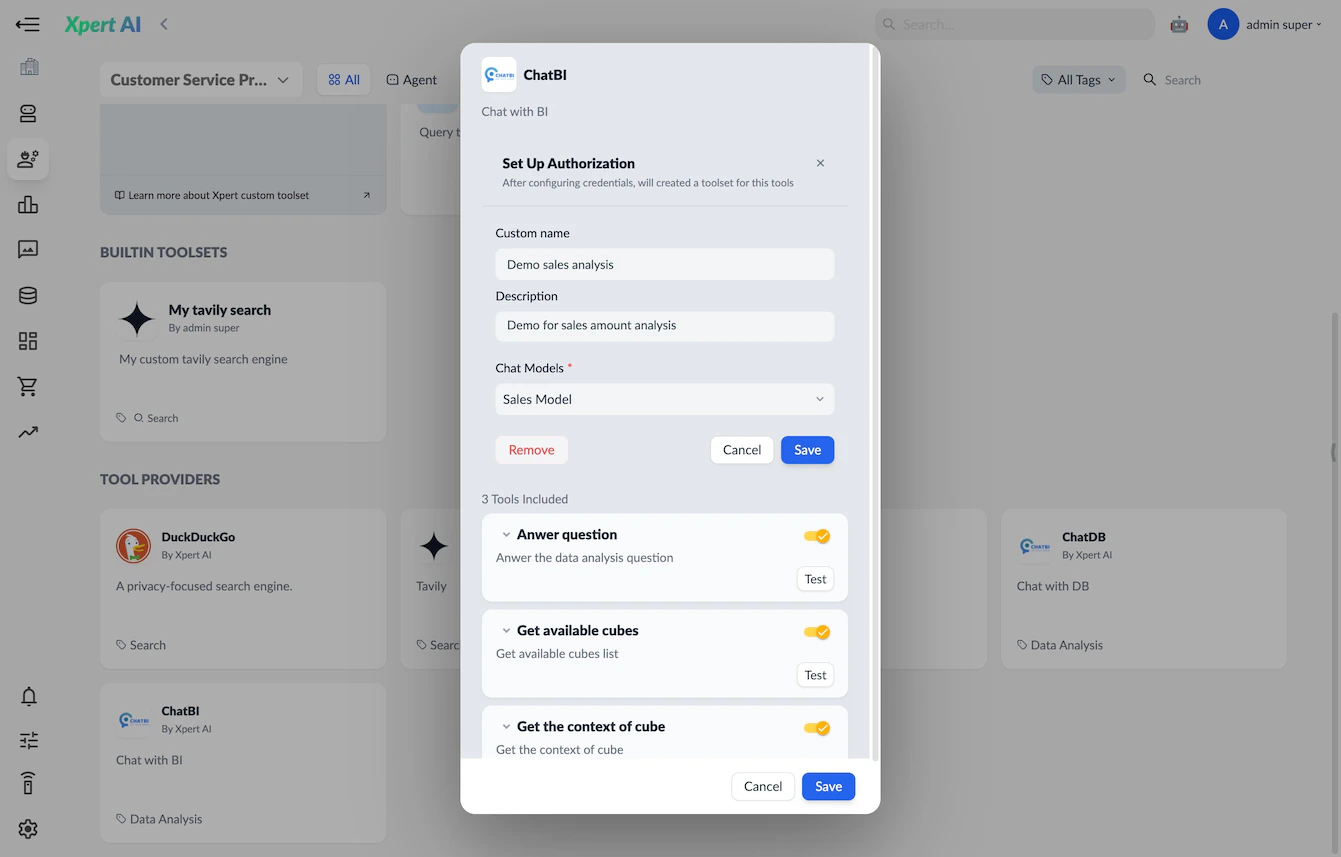
Why Are There No Chat Models Available?
The Chat Models list must be created in the Chat BI system configuration page of the Xpert Data Analytics Platform. Select a semantic model and one of its model entities, provide the entity description and details, then create successfully.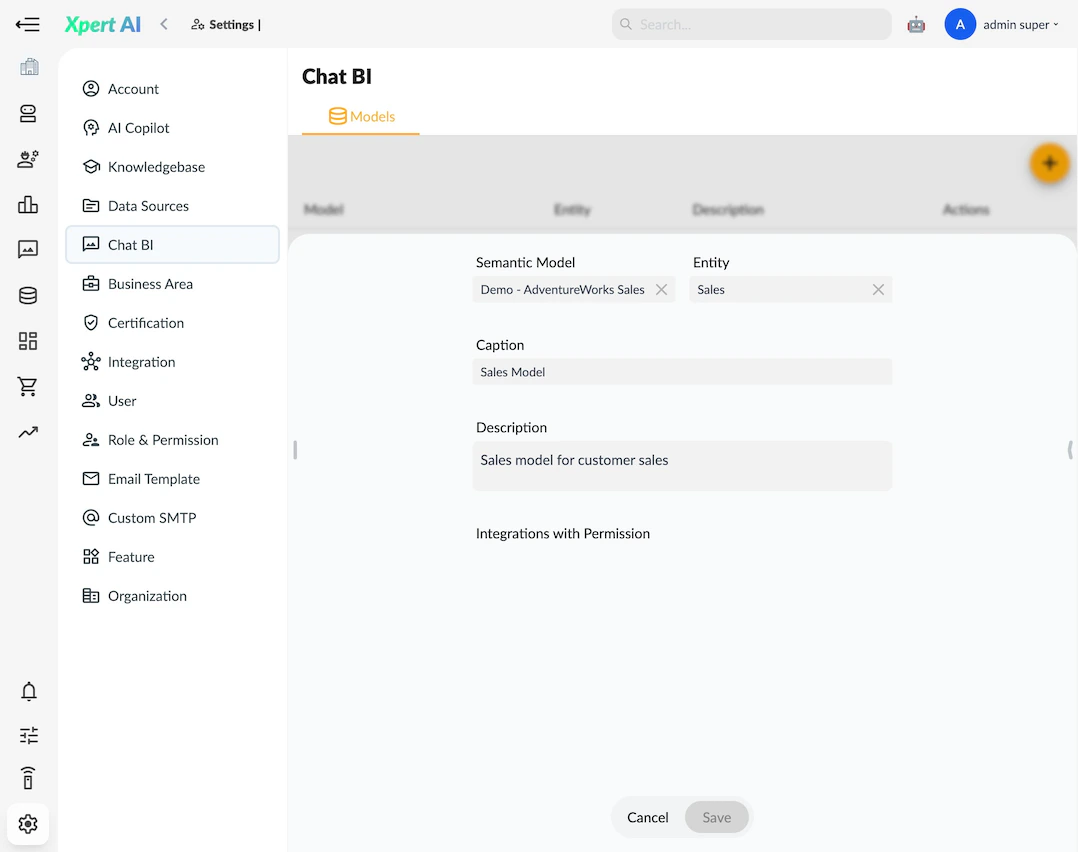
How to Use the ChatBI Toolset?
In Xpert Studio, when orchestrating an agent, right-click to add the toolset, locate the authorized ChatBI Toolset, and add it to the Studio panel. Connect the agent node to the toolset node, enabling the agent to use the ChatBI Toolset to answer data analysis-related questions.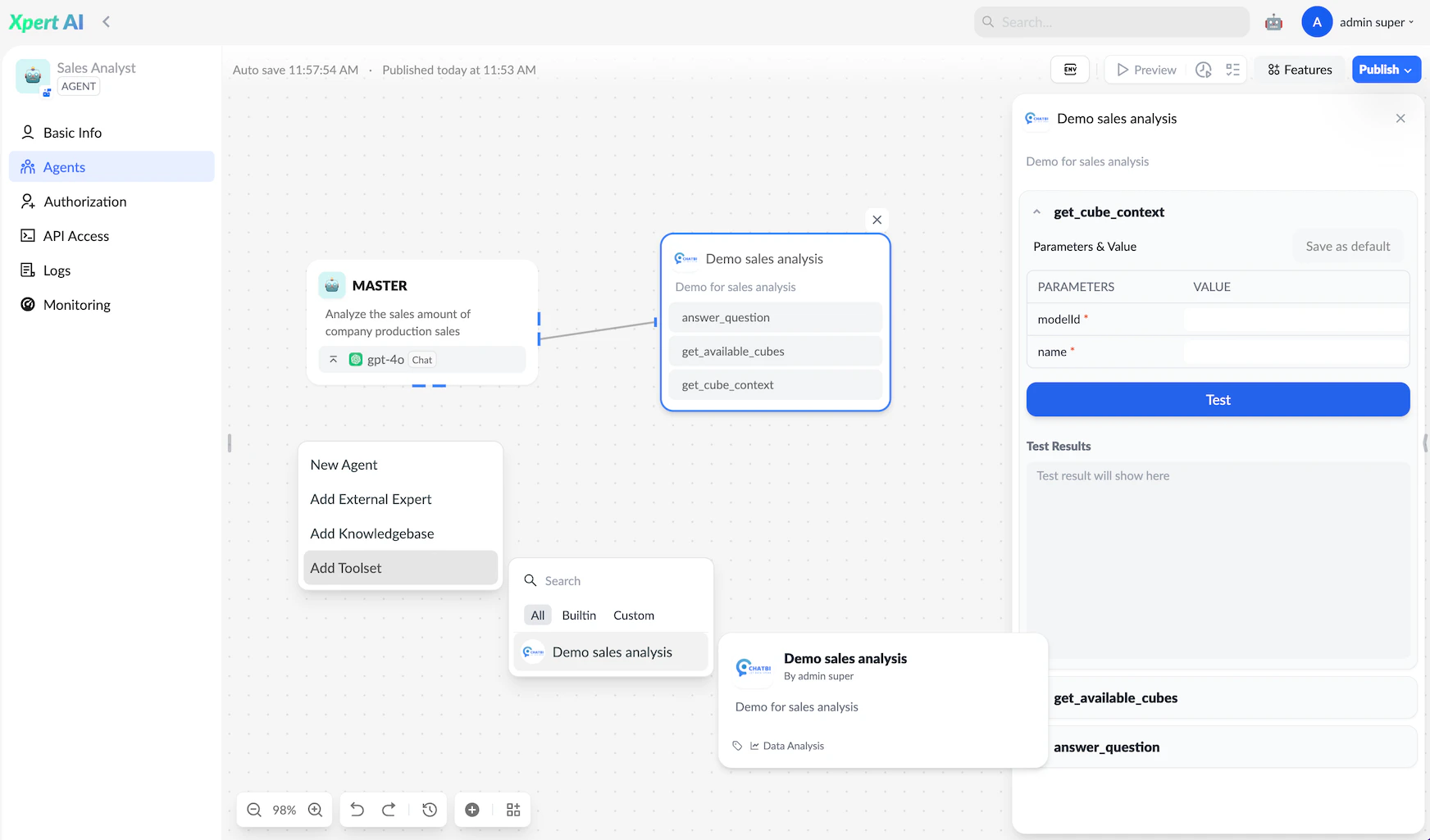
Final Usage
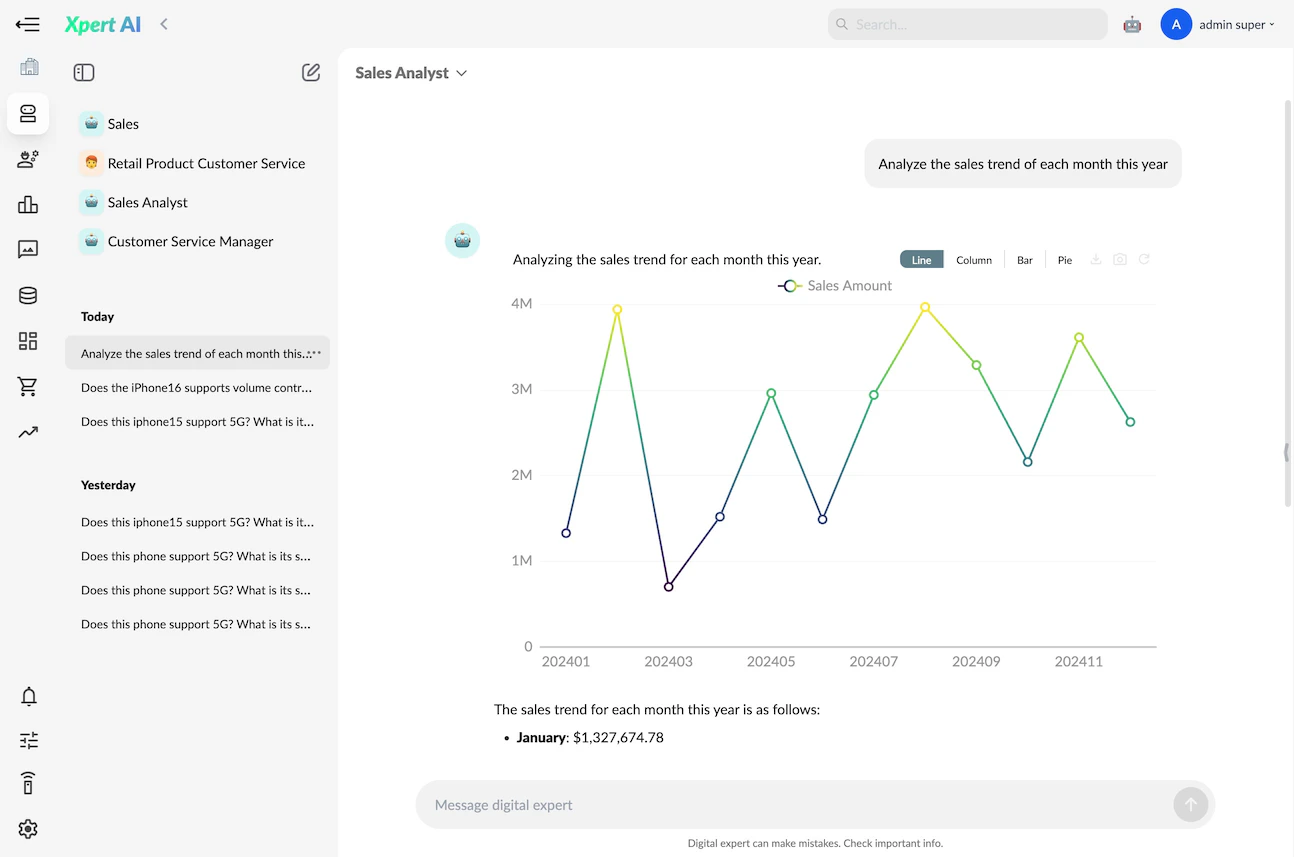
In the final user conversation interface, Xpert expert users can ask analysis questions related to the data model. Xpert will query model information as needed and provide answers using graphical components.