

- Combining multiple fields into natural language, Markdown, HTML, or other formats
- Constructing dynamic tables or list content
- Generating intermediate prompt information before AI responses
🔧 Usage Example: Concatenating Article Content
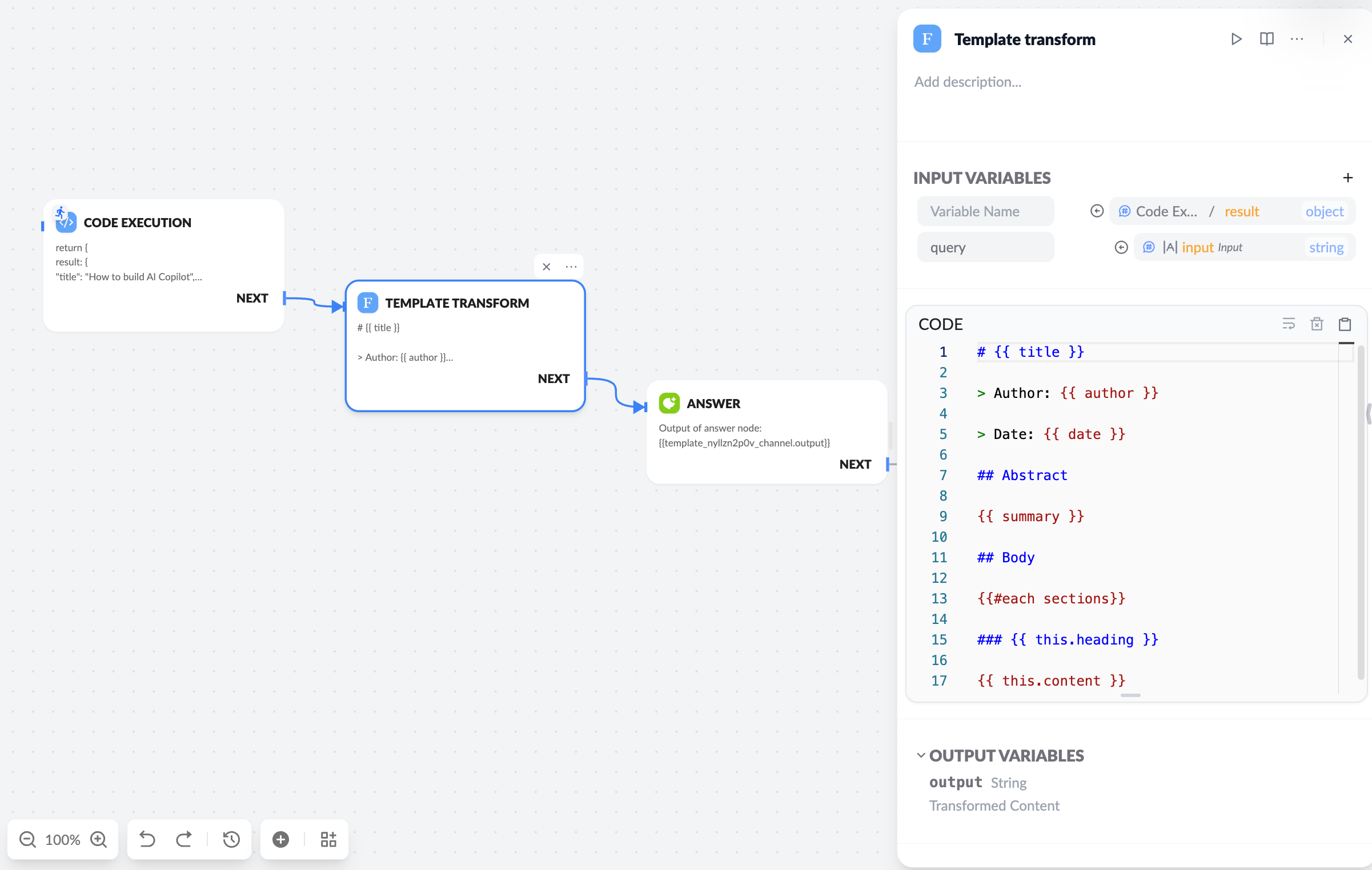
- Variable Name: Uses the value of this state variable in the template context.
- Empty Variable Name: Uses this variable value as the global template context.
💡 Advanced Usage
Conditional Logic:
Looping Lists:
Table Construction:
🧠 Application Scenarios
- Knowledge Retrieval Formatting: Unify content blocks from document retrieval
- Markdown Message Output: Prepare structured responses for platforms like Feishu or Slack
- Form Construction: Output interactive HTML form content
- Pre-AI Response Guidance: Generate intermediate prompts to guide further user interaction
🧪 Example: Output HTML Form
📌 Tips
- Variables in the template come from the JSON output of upstream nodes.
- Supports nested access, e.g.,
user.name,item.metadata.score.
The template node is typically used in the middle of a workflow to format output results for display or to pass to the next tool node or model call.For detailed Handlebars syntax, refer to the Handlebars Official Documentation.