

Using Parameters in Calculated Formulas
Parameters can be used in the calculation formulas of calculated measures, where the parameters in the formula will be replaced with the actual values entered by the user at runtime. As shown in the figure below, parameters can be created and modified in the parameter tab on the right sidebar of the calculation formula window. Dragging the parameter item into the left editing area can insert the parameter into the formula code. Parameters can also be manually written in the fixed format[@ParameterName].
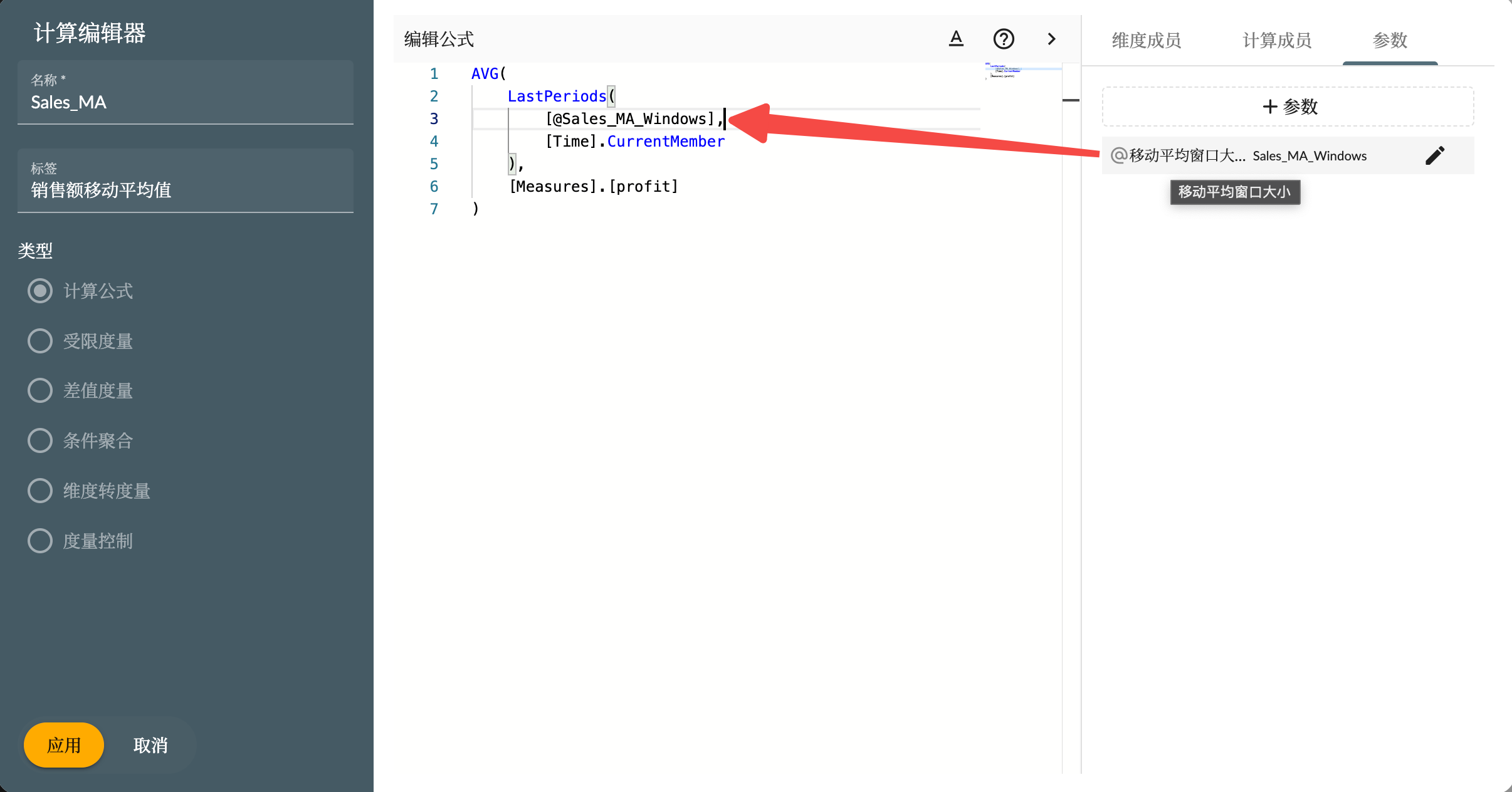
Creating Parameters
Click the +Parameter button in the interface to create a new parameter. Parameter types include:- Input
- Selection
- Dimension