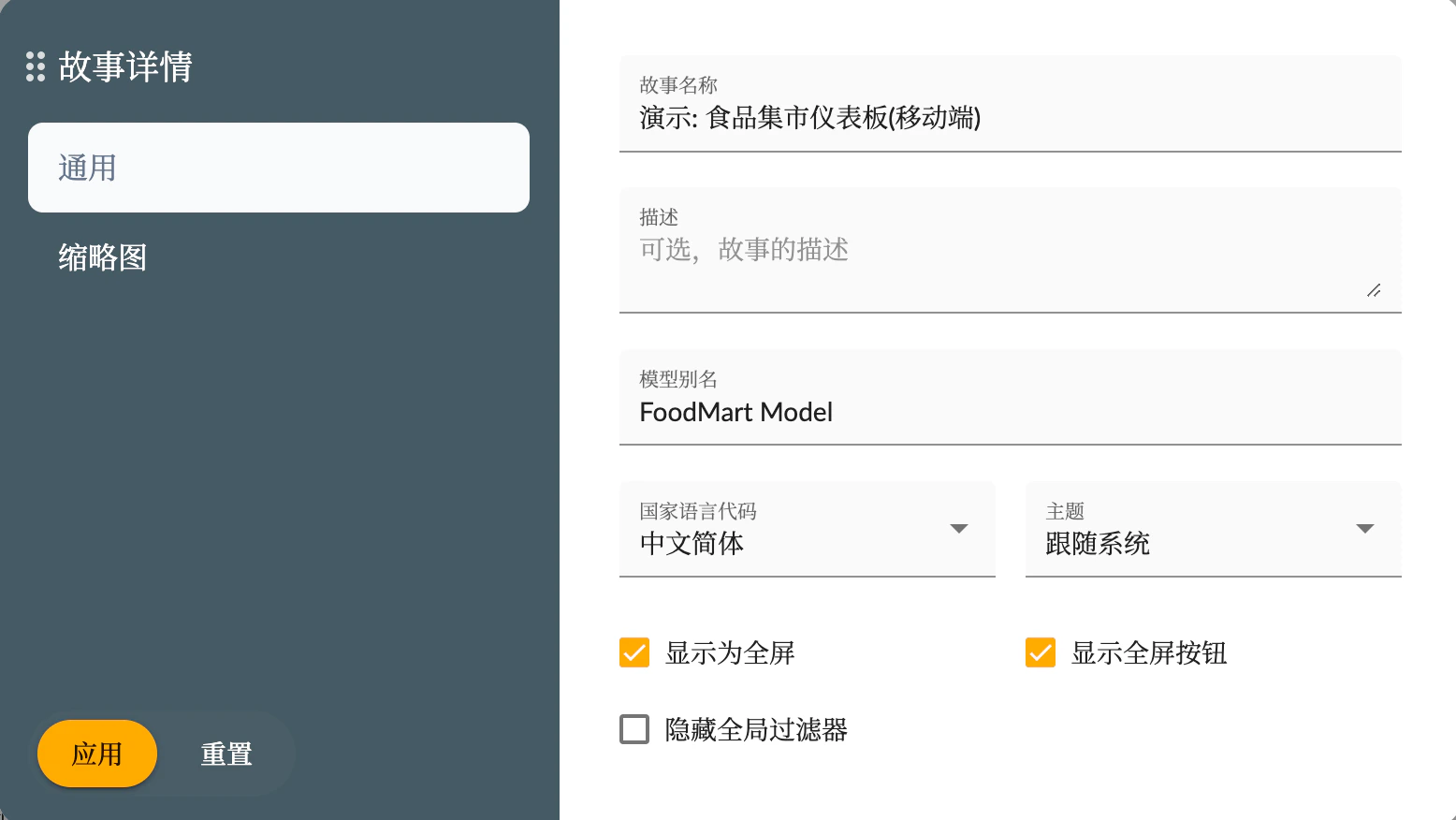
Story Details are configured in the Story Preferences menu. Story details allow you to set some global configurations for the story.The list of story detail configurations is as follows:
Name
Type
Description
Story Name
String
The name of the story
Model Alias
String
An alias for the model referenced by the story, used to avoid issues caused by model name changes. The data source for story components will use this alias. If not set, the original model name will be used.
Country Language Code
Fixed Options
The country language code used in the story, which affects number and date formatting
Display as Full Screen
Yes/No
Set whether the story displays in full screen when entered
Thumbnail
Upload Image
Upload an image to be used as the preview image for the story dashboard