

- Open the Digital Expert Console and navigate to the Monitoring page. In the WebApp card section of the Monitoring page, you’ll find the configuration for embedding the application.
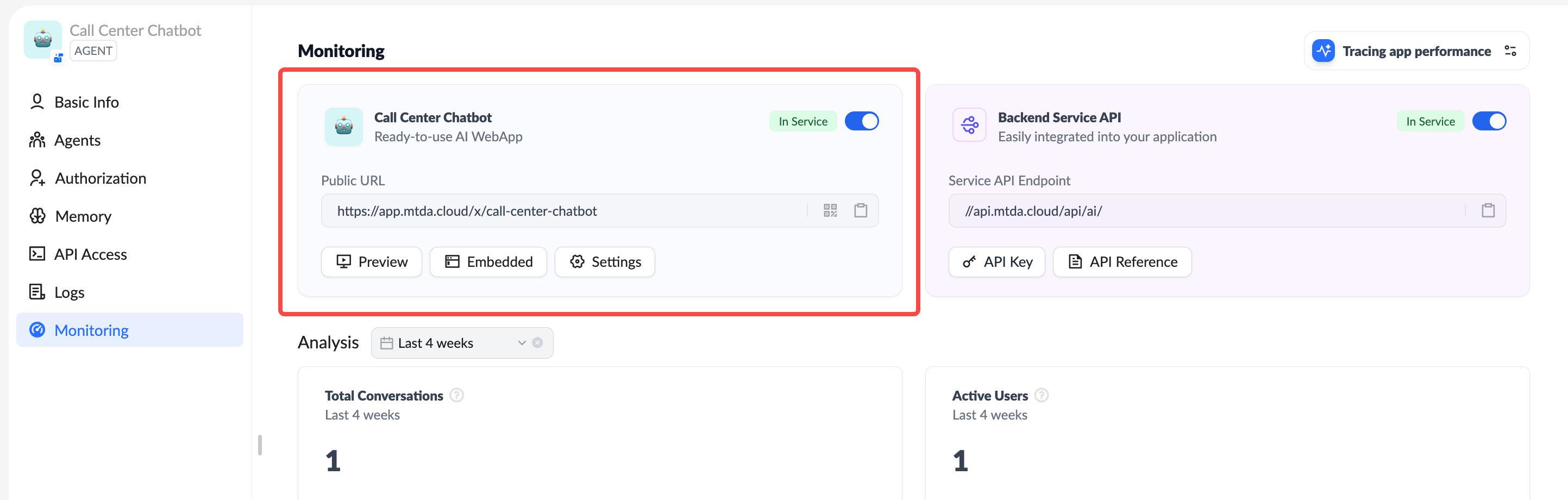
- Use the Preview button to open a new browser tab and preview how the embedded application will look.
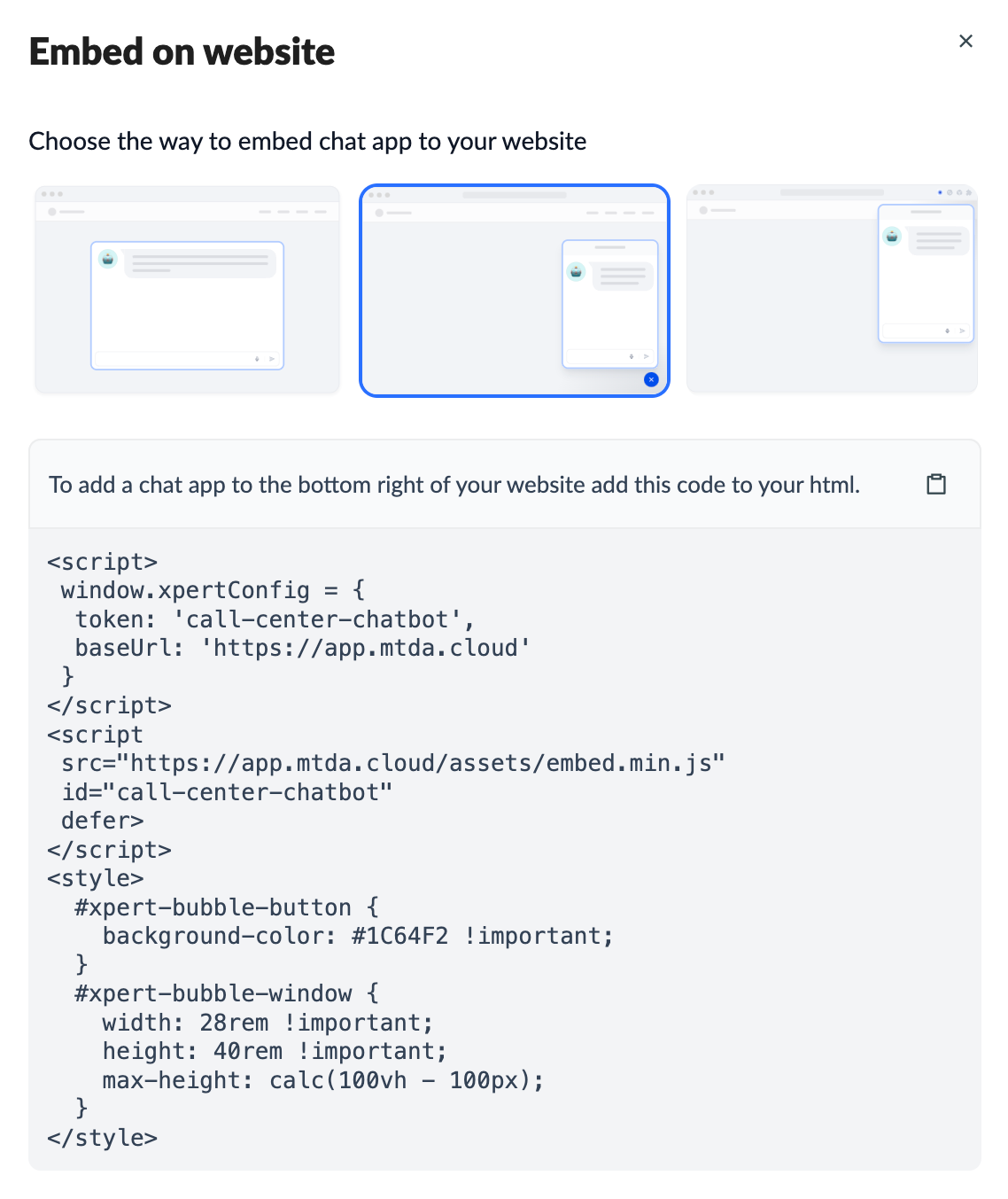
- Click the Embed button to open a dialog box, choose the embedding method, and copy the code to your website or application.
- Use the Settings button to open a dialog box and configure the application’s access permissions:
- Public: Accessible to everyone, including anonymous users.
- Private: Accessible only to users with accounts; anonymous users are restricted.